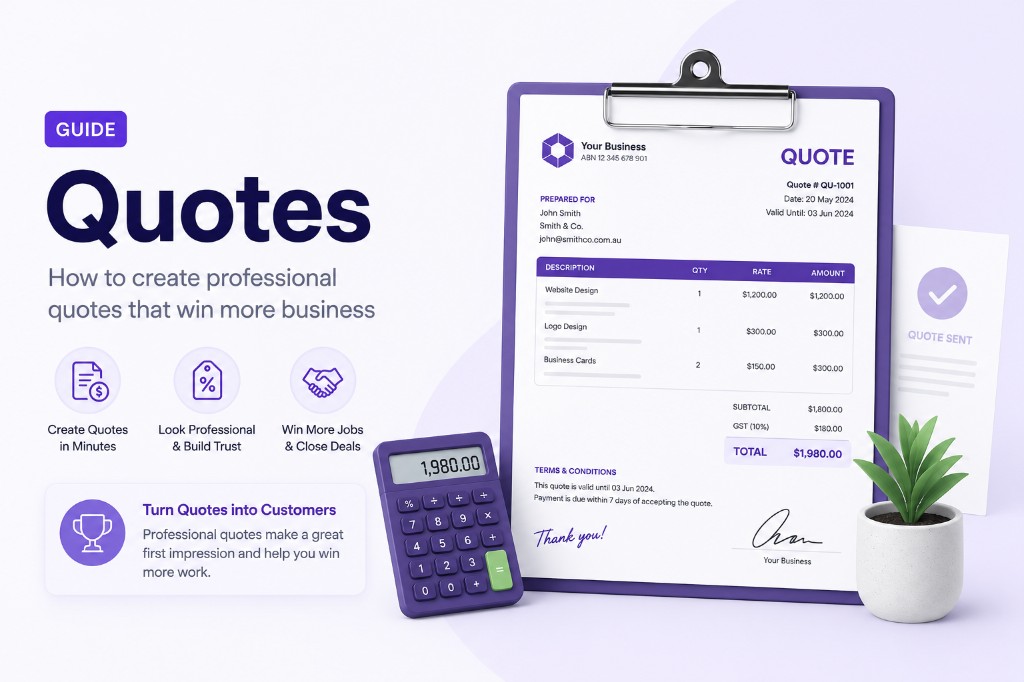
Quote Generator Australia Guide
A quote tells Australian clients what you will charge before work begins. Our free quote generator is built for Australian businesses and freelancers — produce clear, branded quote PDFs online, then invoice the same client when the project is approved.
A professional quote sets expectations on scope, pricing, and terms before you commit to delivery. Our online invoice generator Australia doubles as a quote maker — describe each deliverable as a line item, set a validity date, and download a branded PDF your prospect can review and approve.
When the quote is accepted, switch to the invoice template with the same client details and line items. Using one free invoice generator for both quotes and invoices keeps your paperwork consistent and saves time for freelancers and small businesses billing in AUD with GST.

What is a quote generator?
A quote generator helps you present scoped work and pricing in a formal document. Prospects can review line items, totals, and terms before committing. Because our quote tool lives inside the same invoice generator platform, your quotes and invoices share one consistent design.
Quotes are not tax invoices — they are offers. Once accepted, you can create a matching invoice using the same line items and client details.
What to put on a professional quote
- Your company details and the prospect's contact information
- Quote number and date for easy reference
- Payment terms and quote validity / due date
- Detailed line items with scope descriptions and pricing
- Tax, shipping, or discounts if they apply to the final price
- Terms covering acceptance, deposits, and change requests
How to make a quote with our generator
- 1.Open the free quote template in the invoice generator.
- 2.Fill in From and Bill To with your business and client details.
- 3.Set the quote date, payment terms, and validity date under Due Date.
- 4.Describe each deliverable as a line item with quantity and rate.
- 5.Add terms in the Terms field — for example, deposit required or expiry date.
- 6.Download the quote PDF and send it for approval; create an invoice when the quote is accepted.
From quote to invoice
When your client approves the quote, open the invoice generator with the same line items and client data. Your browser draft keeps company details in sync across document types, so moving from quote to invoice is quick.
Using one invoice generator for both quotes and invoices keeps your paperwork consistent and professional.