
If you are managing inventory, ordering supplies, or requesting services for your growing company, you already know that keeping track of expenses can quickly turn into a headache. In the early days, a quick email or a handshake agreement might have been enough to get inventory moving. However, as your operations expand, relying on scattered emails and messy spreadsheets becomes a recipe for miscommunication, delayed shipments, and financial discrepancies.
Enter the Free Purchase Order Generator—a simple, powerful tool designed to bring order to your purchasing chaos. This purchase order generator aligns every purchase order form with your policies from day one.
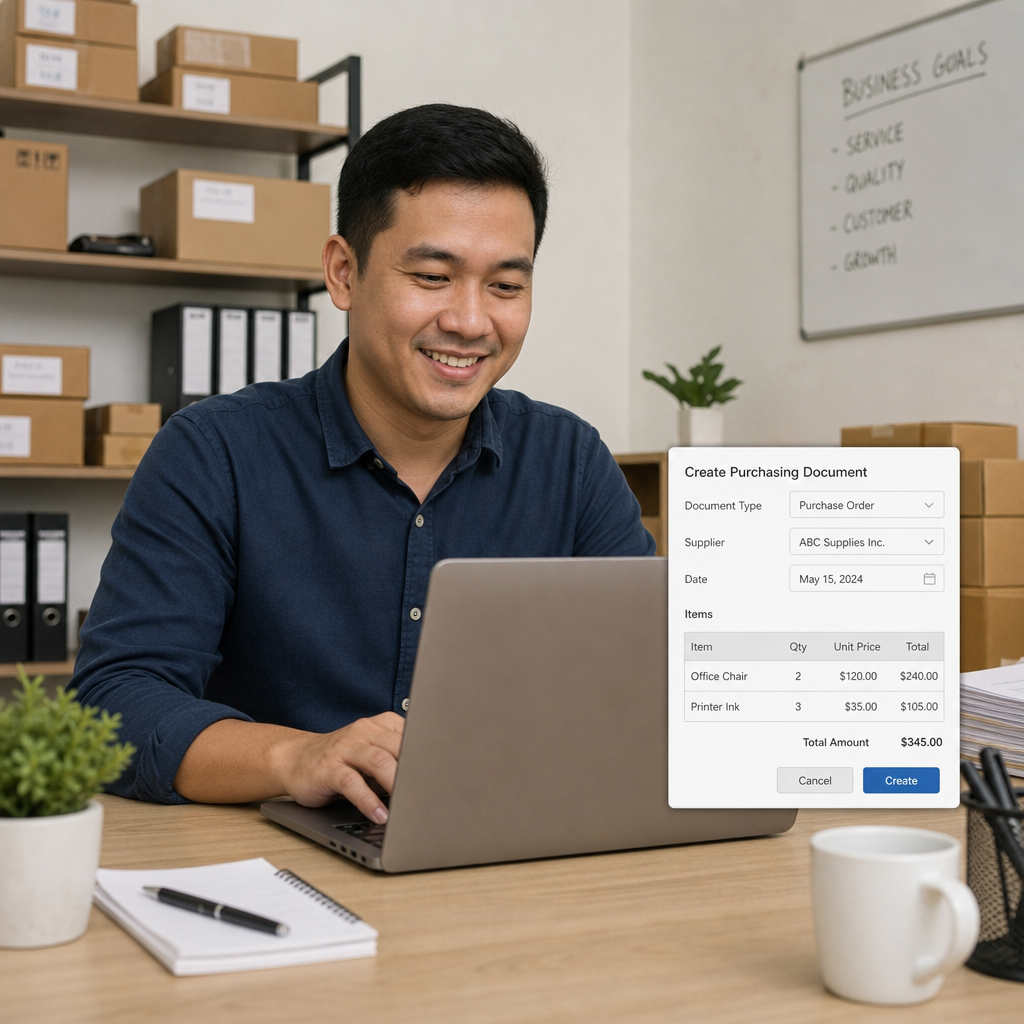
By leveraging a digital purchase order generator, you can instantly create professional, legally binding documents—whether you start from a free purchase order template or a structured form—that protect your business and keep your suppliers aligned with your needs. In this comprehensive guide, we will explore why upgrading your purchasing habits is crucial, how software tools outperform traditional manual methods, and the top benefits you can expect when you make the switch.
What is a Purchase Order (and Why Do You Need One)?
Before diving into the mechanics of digital tools, it is vital to understand the foundational role that purchase orders play in the small business procurement process. A purchase order (PO) is an official document issued by a buyer to a seller, detailing the types, quantities, and agreed-upon prices for products or services. Once the seller accepts the PO, it becomes a legally binding contract.
A frequent point of confusion for new business owners is the purchase order vs invoice difference. Think of it as a timeline:
- The Purchase Order is created before the transaction takes place. It is a proactive request sent by the buyer to the seller outlining what they want to purchase.
- The Invoice is generated after the goods or services have been delivered. It is a reactive bill sent by the seller to the buyer to collect payment for the fulfilled order.
Implementing a structured PO system transitions your company from reactive spending to proactive financial management.
The Core Components of a Valid Purchase Order
If you have never used formal procurement documents, you might be wondering how to create a purchase order that actually protects your interests. Fortunately, utilizing a free purchase order form ensures you never miss a critical detail.
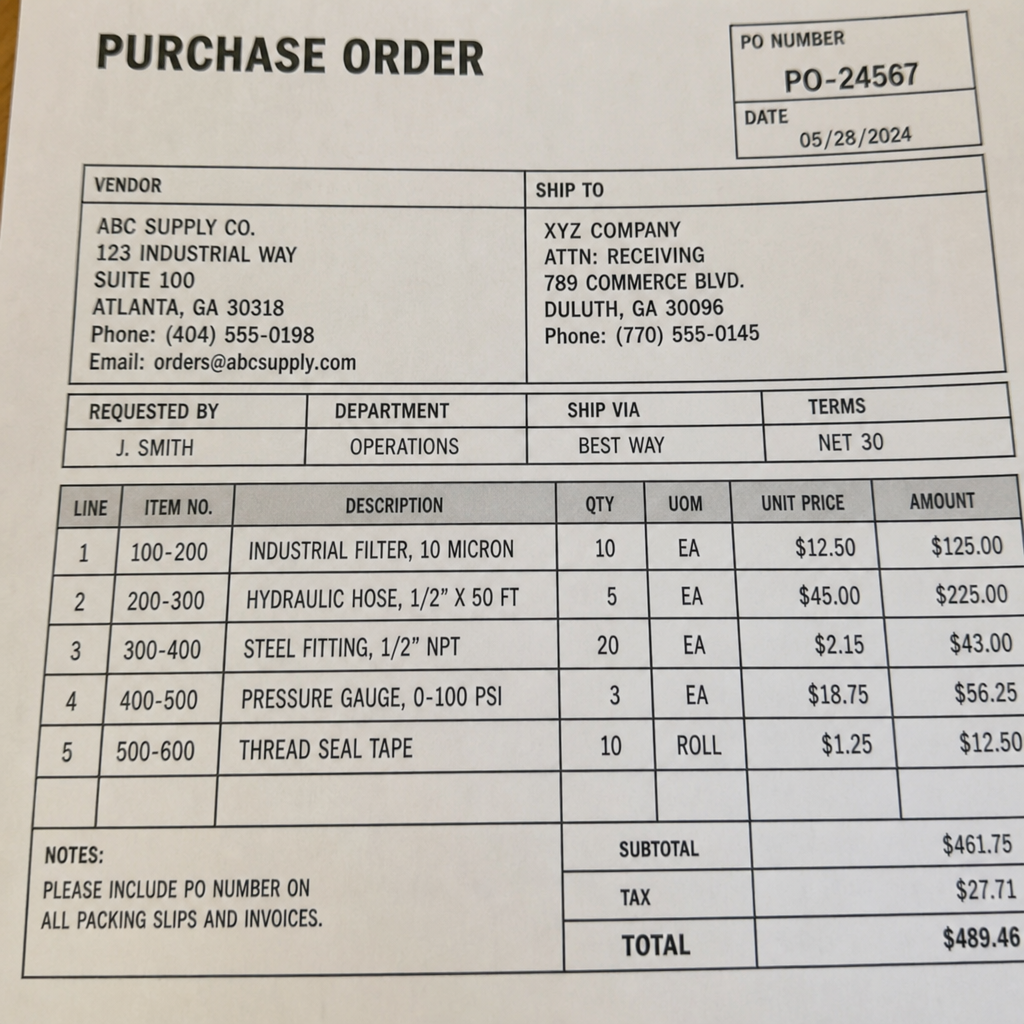
While formats can vary, the essential elements of a legal PO typically include:
- PO Number: A unique, sequential identification number vital for tracking and cross-referencing.
- Company Information: Your business name, logo, address, and contact details.
- Vendor Information: The supplier's name, contact person, and billing address.
- Shipping Destination: Exactly where the goods need to be delivered.
- Order Details (Line Items): A clear breakdown of the items, including SKUs, descriptions, quantities, unit prices, and the total cost.
- Terms and Conditions: Payment terms (e.g., Net 30), delivery dates, and any special instructions.
When you use a quality purchase order form online, these fields are typically pre-formatted, making it nearly impossible to forget a crucial piece of information.
Top Benefits of Using a Free Purchase Order Generator
Shifting your buying procedures to a digital generator offers far more than just a neat-looking document. It transforms how your entire business operates. Let's look at the primary advantages.
1. Financial Control and Visibility
One of the biggest hurdles growing businesses face is tracking what has been ordered versus what has been paid for. By generating official documents for every purchase, you gain complete visibility into committed spend. This makes tracking outstanding vendor liabilities a breeze. You will know exactly how much money is tied up in pending orders, preventing you from overspending your budget before the invoices even arrive.
2. Eliminating Costly Errors
When employees type out orders in plain text emails, mistakes happen. A vendor might misunderstand a quantity, or an employee might request the wrong item code. A standardized digital system helps eliminate manual inventory tracking errors. Because the generator requires specific fields to be filled out, both you and the supplier have a crystal-clear, itemized list of expectations. Provide a simple purchase order example during onboarding so team members know exactly how to complete each required field.
3. Streamlining Internal Approval Workflows
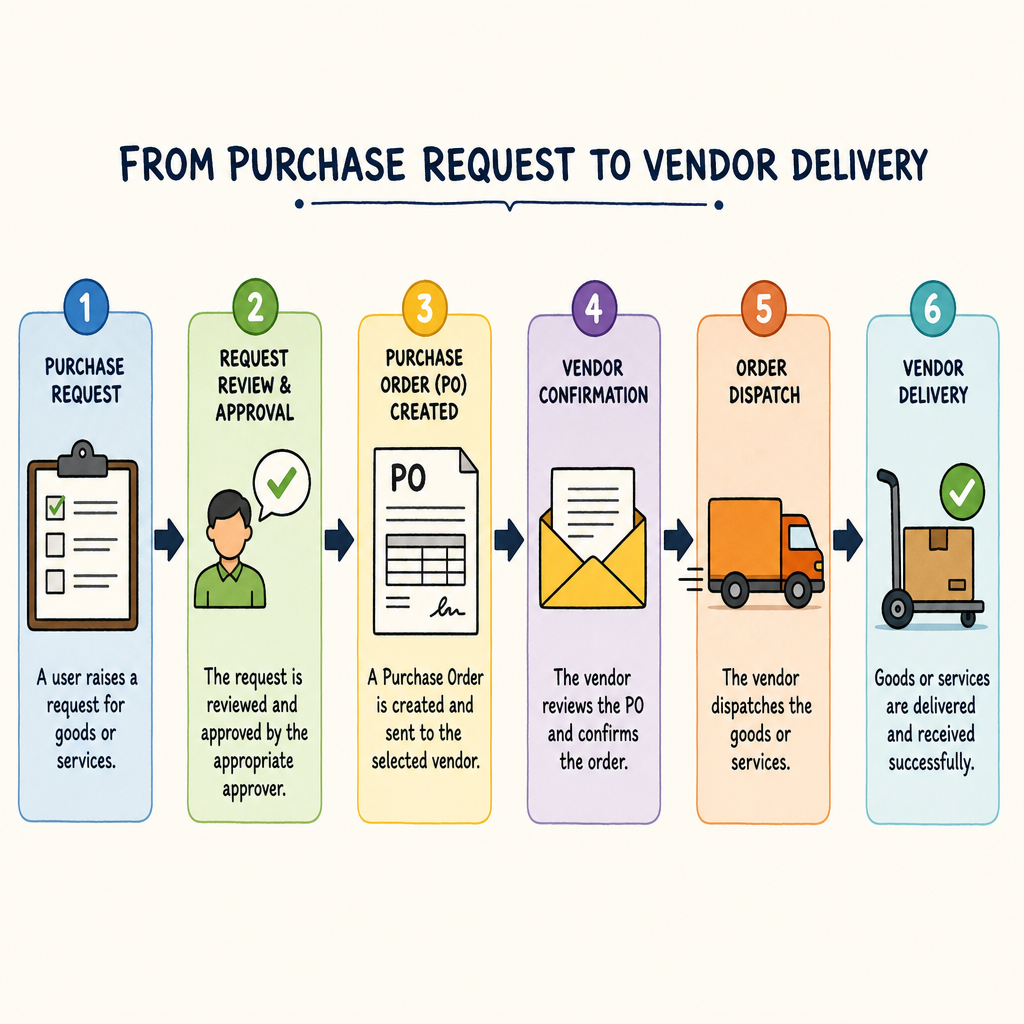
If multiple people in your company have purchasing power, you need a system of checks and balances. Using a generator aids in streamlining internal approval workflows . Instead of verbal requests, an employee can draft a PO and submit it to a manager for sign-off before it ever reaches the vendor. This is a foundational step toward standardizing commercial buying procedures across your entire organization.
4. Better Supplier Communication
Clear communication is the bedrock of business. By adopting supply chain documentation best practices , you set clear expectations regarding pricing, delivery timelines, and item specifications. If a vendor delivers 50 widgets instead of the 500 you requested, you have a legally binding document to reference. Ultimately, this transparency is key to improving vendor relationship management, as it removes the guesswork and friction from your partnerships.
5. Professionalism and Branding
Every document that leaves your business is a reflection of your brand. A reputable generator provides customizable business branding options, allowing you to easily upload your logo, choose brand colors, and format the layout. Sending a crisp, well-designed PO signals to your vendors that you run a tight, professional ship.
Ditching the Spreadsheets: Generators vs. Manual Templates
Many business owners start their procurement journey by downloading a free purchase order template , such as a basic Excel sheet or a purchase order template word document. While this is certainly a step up from a phone call, static templates come with significant limitations.
When you use a Word or Excel template, you have to manually update the PO number every single time. You have to manually calculate the taxes, subtotals, and shipping fees. You also have to save a new file to your computer for every order, which quickly leads to disorganized folders and lost documents.
A dedicated purchase order generator solves these issues instantly. Most generators automatically calculate your totals, sequentialize your PO numbers, and allow you to save your documents as clean, uneditable PDFs.
If you want to see the difference for yourself, try creating a purchase order example using a Word document, and then create that exact same order using an online generator. The generator will likely take a fraction of the time and produce a far more professional result.
Furthermore, as your business continues to scale, starting with a free generator paves the way for adopting more robust cloud-based digital ordering systems . These advanced platforms often include automated requisition and approval software, creating a seamless bridge between your purchasing team, your warehouse, and your accounting department.
How to Integrate a Free Purchase Order Form into Your Workflow
Ready to take control of your purchasing? Implementing a new system doesn't have to be overwhelming. Here is a simple, step-by-step approach to introducing a generator into your daily operations.
Step 1: Establish Purchasing Rules
Determine who in your company is allowed to make purchases and what the spending limits are. Decide at what dollar amount an employee must submit a formal purchase order request to management before generating the final document for the vendor.
Step 2: Choose the Right Tool
Look for a generator that offers professional procurement templates online. It should be user-friendly, require no software installation, and allow for easy PDF downloads. Ensure it has all the necessary fields we discussed earlier.
Step 3: Centralize Your Vendor Information
Gather the names, addresses, and contact details of your most frequently used suppliers. Having this information readily available will speed up the generation process.
Step 4: Train Your Team
Host a brief meeting to show your staff how to use the generator. Explain the "why" behind the change—emphasize that it protects the company, ensures they get the supplies they need on time, and keeps the budget healthy. Share a standardized purchase order example to reinforce correct entry and approval steps.
Step 5: Look to the Future
As you get comfortable with standard digital POs, keep an eye on future tech trends. Eventually, you may outgrow basic generators and move toward electronic data interchange for small business (EDI). EDI allows your procurement software to "talk" directly to your vendor's software, automating the entire ordering process without a single human keystroke! However, mastering a simple PO generator is the crucial first step on that journey.

Conclusion
Managing a business is complex enough without the added stress of lost orders, billing disputes, and chaotic inventory management. By utilizing a Free Purchase Order Generator, you instantly elevate your company's operational efficiency. You transition from a messy, reactive purchasing environment into a streamlined, highly accountable ecosystem.
Taking just a few minutes to generate a formal document for your orders ensures accurate financial tracking, protects you legally, and builds immense trust with your suppliers. Stop relying on memory, scattered emails, and clumsy word processor documents. Embrace the power of digital procurement tools today, and give your business the professional foundation it deserves to thrive and grow.
Q&A
Question: What is a purchase order and why does my small business need one?
Short answer: A purchase order (PO) is an official document a buyer sends to a seller listing the items, quantities, prices, delivery details, and terms for a purchase. Once accepted by the seller, it becomes a legally binding contract. Using POs moves your company from reactive, ad‑hoc buying to proactive financial management—giving you clear records, preventing overspending, and protecting you in case of disputes.
Question: How is a purchase order different from an invoice?
Short answer: A PO is created before a transaction and sent by the buyer to request goods or services under agreed terms. An invoice is created after delivery and sent by the seller to request payment for what was fulfilled. Think of the PO as the order instructions and the invoice as the bill.
Question: What are the essential components of a valid purchase order?
Short answer: A solid PO includes all key details so nothing is missed:
- PO number (unique, sequential)
- Company information (name, logo, address, contacts)
- Vendor information (supplier name, contact, billing address)
- Shipping destination
- Order details/line items (SKUs, descriptions, quantities, unit prices, totals)
- Terms and conditions (payment terms like Net 30, delivery dates, special instructions)
Quality online forms pre-format these fields to reduce omissions and errors.
Question: Why use a free purchase order generator instead of Word or Excel templates?
Short answer: Generators save time, reduce mistakes, and professionalize your process. They typically auto-calculate subtotals/taxes, assign sequential PO numbers, and export clean PDFs. Required fields cut down on manual errors, improving supplier clarity and reducing disputes. They also streamline approvals (draft → manager sign-off), enhance spend visibility (track commitments before invoices arrive), and support branding (logo, colors, layout). As you scale, starting with a generator eases the path to cloud systems and automated requisition/approval workflows.
Question: How do I integrate a free purchase order form into my workflow?
Short answer: Follow a simple rollout:
- Establish purchasing rules—who can buy, spending limits, when a PO request is required.
- Choose the right tool—easy to use, no install, PDF downloads, and all essential fields.
- Centralize vendor info—names, addresses, and contacts to speed up creation.
- Train your team—explain the “why,” demo the tool, and share a standard PO example.
- Plan ahead—once you’re comfortable, consider moving toward cloud systems and, eventually, EDI to automate ordering end-to-end.