
An Invoice Generator API lets your app create and send bills through code. You connect your product to a billing engine, speed up cash flow, and give customers a smoother payment experience.
This guide covers the main benefits, integration basics, and why an API often beats standalone tools.
Quick summary
- API billing removes manual data entry and scales with your product.
- You send JSON; the API returns branded PDFs and receipts.
- Best for SaaS, e-commerce, and apps that invoice inside your workflow.
- Use HTTPS, scoped API keys, and stateless generation for security.

From manual billing to automated invoice processing
Older workflows rely on invoice softwares and invoicing software that need a person in the loop. Staff log in, copy CRM data, add line items, and click send.
That works for a few bills each month. It breaks when volume grows.
Modern teams use automated invoice processing instead. Your app talks to the billing API. When a customer buys, upgrades, or hits a usage limit, the API creates the document automatically.
The result is less manual entry, fewer typos, and cleaner records.
Top benefits of an Invoice Generator API
1. Easy integration for developers
Developers trigger billing with standard HTTP requests. You send structured JSON with client details, items, prices, and tax rates. The API returns a ready PDF.
Your finance team does not need to learn a new dashboard. Your code stays modular.

2. Custom templates and brand control
Generic invoicing software often locks you into fixed layouts. An API lets you design HTML/CSS templates and render pixel-perfect PDFs.
Common use cases include:
- White-label client portals: bills match your client's brand.
- Detailed commercial invoice template layouts for freight or B2B sales.
- A clean simple invoice format for digital products and downloads.
3. Tax and multi-currency support
Cross-border sales add VAT, GST, and currency rules. A strong API applies tax from buyer location and product type before it builds the PDF.
Good providers also support multiple currencies and audit-friendly invoice numbering.
4. Faster cash flow with webhooks
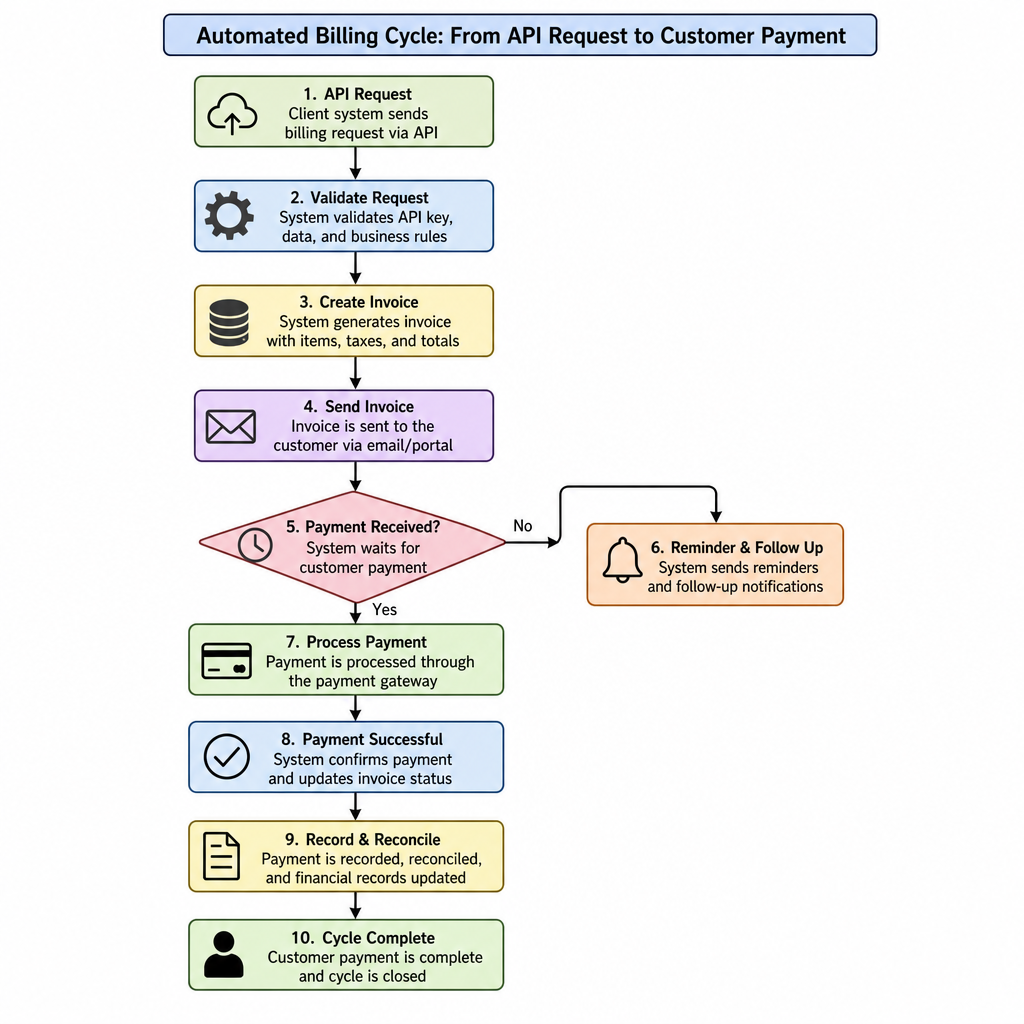
APIs can react to billing events in real time. Example flow:
- Subscription renewal date arrives.
- API creates the invoice.
- Payment gateway charges the card.
- Webhook marks the account as paid and emails a receipt.
Build, buy, or use an API?
- Traditional invoice app: fine for very small volume; limited automation.
- Build your own PDF engine: full control, but hard to maintain fonts, page breaks, and scale.
- Invoice Generator API: programmatic control without running your own renderer.
Hosted APIs reduce DevOps work compared with self-hosted open-source PDF libraries.
Security basics
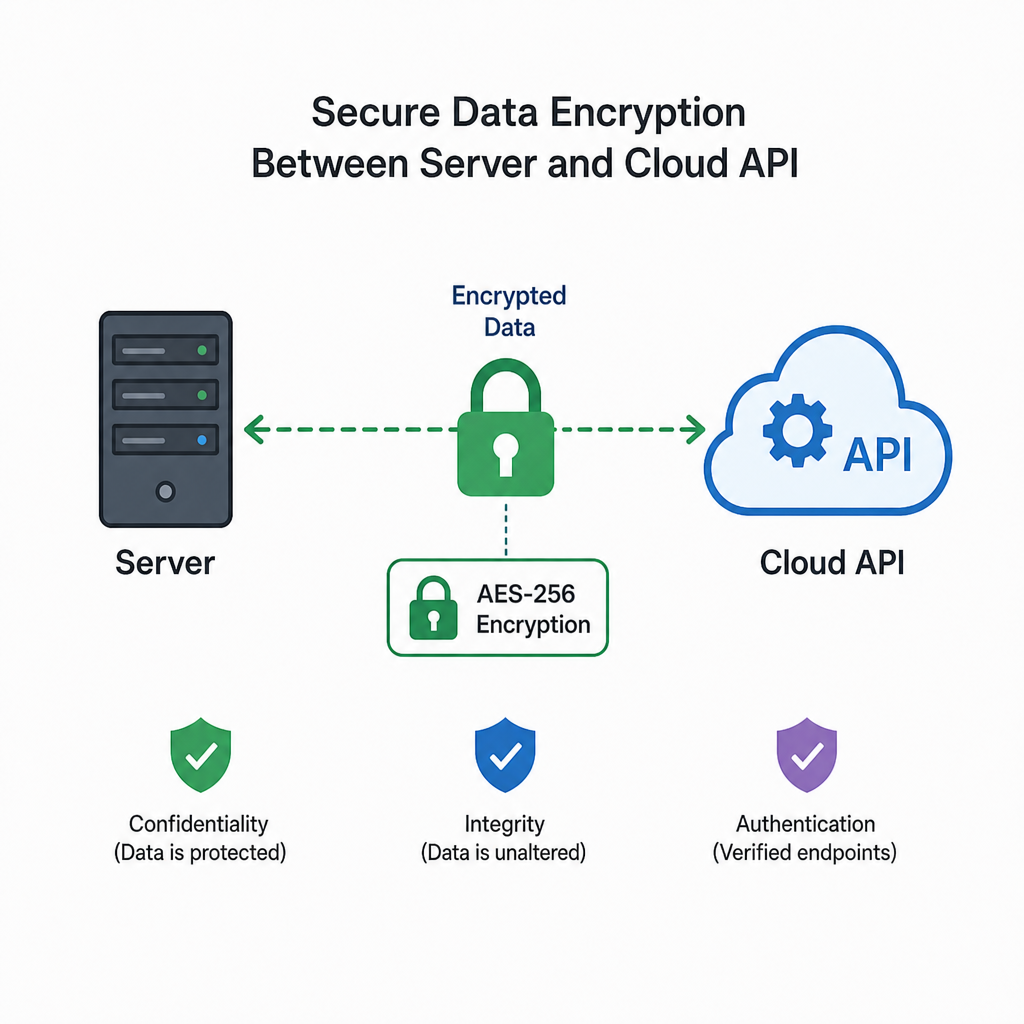
Protect financial data from day one. Whether you test with a sample invoice or run live payments, follow these rules:
- Use HTTPS for every API request.
- Prefer stateless generation so customer data is not stored after the PDF is built.
- Use separate API keys for development, staging, and production.
Mini tutorial: create a receipt with code
Here is a simple three-step flow most teams follow:
- Build JSON. Include your company, the client, line items, tax rate, and template ID.
- POST to the API. Send the JSON with your API key from your backend (PHP, Node, Python, Ruby, etc.).
- Handle the response. Save the PDF URL or file, attach it to email, or show a download button in your app.
A few lines of code can replace hours of manual billing work.
Final thoughts
An Invoice Generator API helps you scale billing without scaling admin headcount. Developers get reliable automation. Customers get branded, accurate documents on time.
Start with one test document, review the docs, and expand from there.
Q&A
Question: How is an API different from normal invoicing software?
Short answer: Traditional tools need staff to log in and click send. An API creates invoices from your app when events happen—purchases, renewals, or usage limits—without manual steps.
Question: How do I integrate an Invoice Generator API?
Short answer:
- Define a JSON payload with client and line-item data.
- POST it to the API with your key.
- Store or email the returned PDF.
- Optional: add webhooks for paid status updates.
Question: Can I customize invoice design?
Short answer: Yes. Use HTML/CSS templates for layout, logos, and brand colours. The API renders them as PDFs, including detailed commercial layouts or simple formats.
Question: How does an API help with tax compliance?
Short answer: It can apply tax rules by location, support multiple currencies, and keep sequential invoice numbers for audit trails.
Question: What security steps matter most?
Short answer: HTTPS only, stateless generation where possible, and separate API keys per environment.