
You just finished the hard work for your client, but now you are staring at a blank spreadsheet at 9:00 PM. Creating a bill shouldn't be the most exhausting part of running a business, yet manual data entry constantly eats into your evening. With an AI invoice generator, you can create invoices fast without spreadsheets or copy-paste. Instead of celebrating a finished job, everyday entrepreneurs—from freelance designers to local plumbers—find themselves double-checking math and wrestling with formatting just to get paid.
Imagine having a reliable digital assistant that remembers your prices and never makes a calculation error. According to small business industry data, professionals often waste 20 minutes typing out single line items the old way. An AI invoice generator changes this entirely by managing the tedious tasks for you. This helpful tool takes a simple description of your services and instantly drafts a polished, ready-to-send document. It helps speed up invoice generation while reducing errors.
Taking back those lost hours does not require you to be a tech genius. By letting smart invoice generator software handle the boring administrative tasks, you effortlessly streamline cash flow and eliminate the dread of payday. Embracing automated invoice generation means you can finally close out your workday on time, confident that your bills are flawlessly accurate.
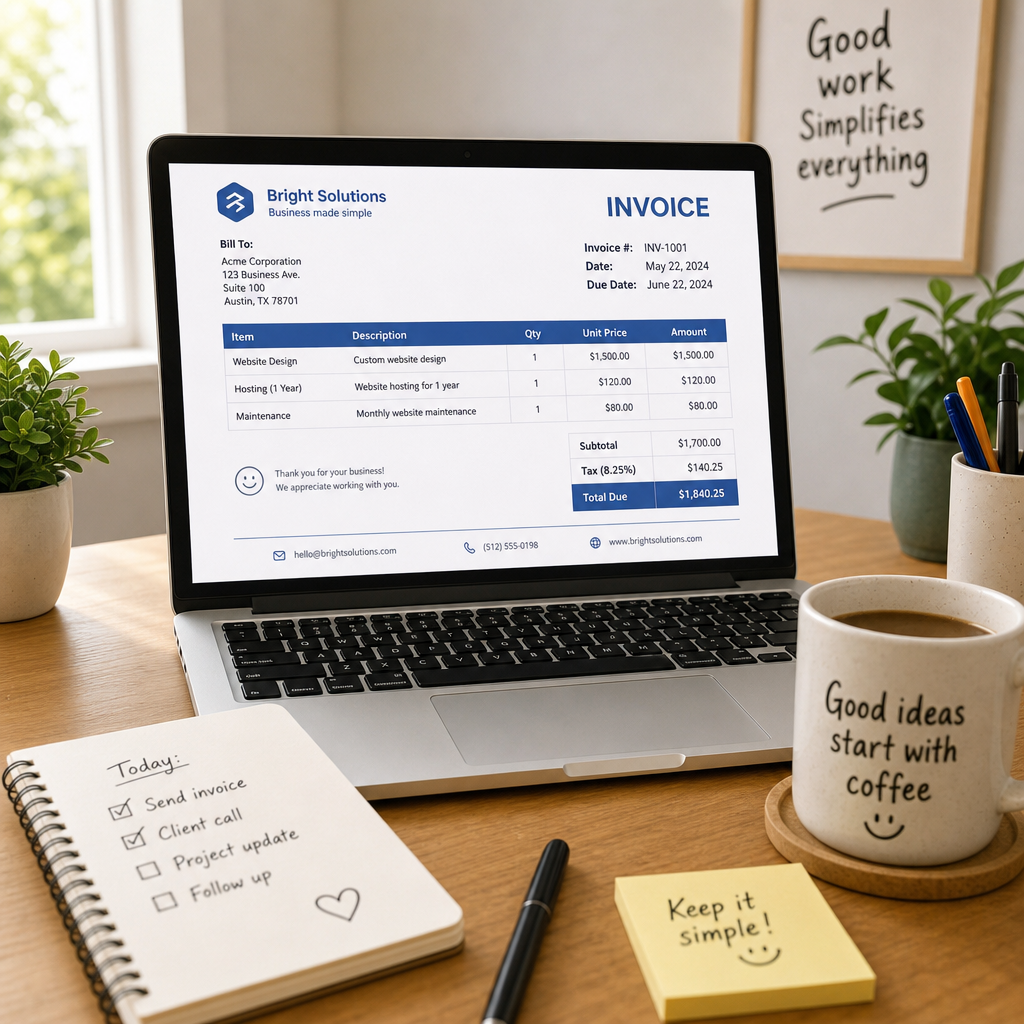
The Hidden Cost of Manual Entry: Why Your Invoices Are Late or Wrong
You finished the project days ago, but typing out the bill still feels like a massive hurdle. Every minute spent hunting down old notes or double-checking totals creates an "invisible time leak." Instead of earning money, you lose valuable hours just trying to collect what you are already owed.
Achieving true billing accuracy is nearly impossible by hand. Without tools aimed at reducing manual data entry errors in bookkeeping, even careful freelancers regularly fall victim to three costly traps:
- Math mistakes that accidentally undercharge the client
- Missing line items for extra hours you forgot to include
- Outdated tax rates that create headaches during tax season
Think of this document as a professional handshake—it seals the project and leaves a lasting impression. A polished, error-free invoice naturally elevates your professional branding, which directly helps you get paid much faster. Completely ditching the manual typing starts by letting smart software transform your raw project notes directly into a professional bill.
From Project Notes to Professional Bill: How AI 'Scans' Your Work to Draft Invoices
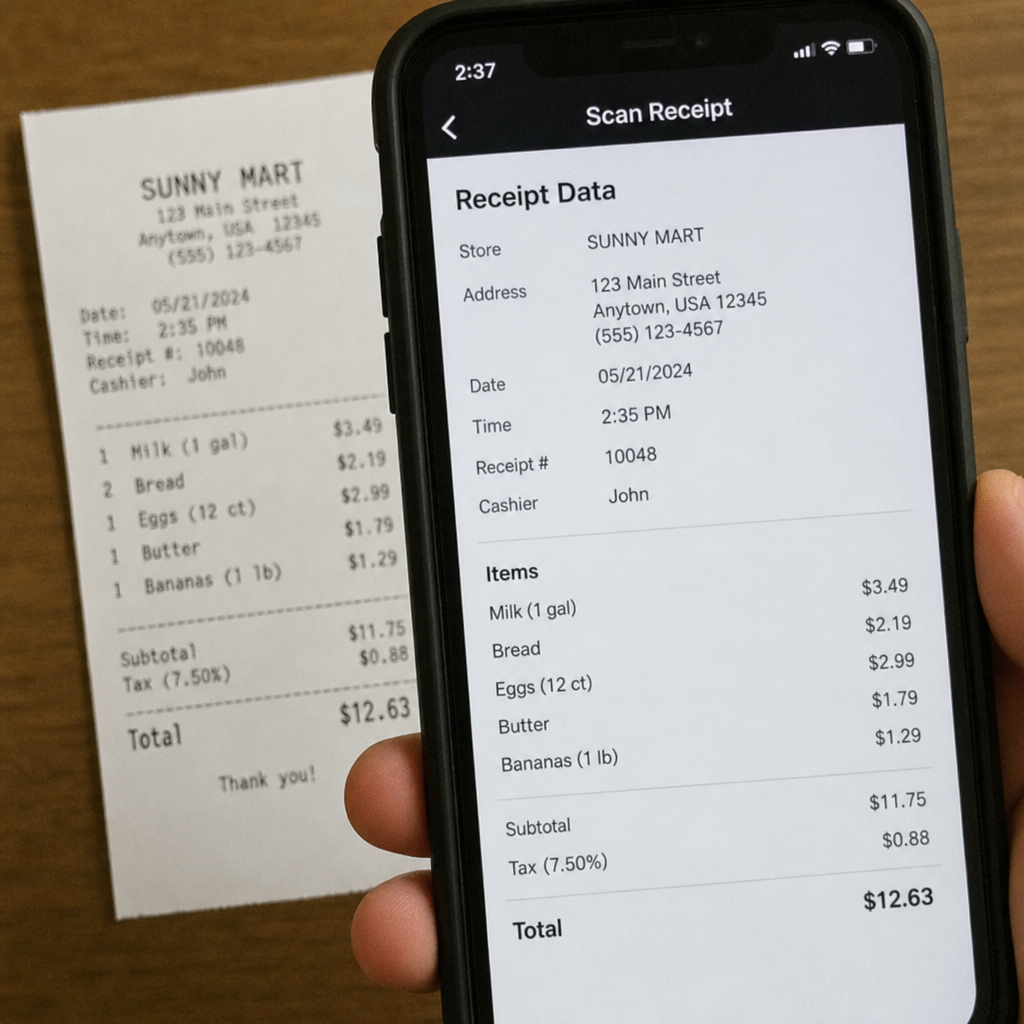
Imagine describing your latest plumbing job in one quick sentence and watching a polished bill appear instantly. Instead of manually typing out piles of paper records, an AI invoice generator (often called an invoices generator by users) uses "Smart Scanning"—powered by OCR technology for instant invoice creation—to 'read' your scribbled notes and translate them into digital text. It acts as a digital assistant that looks at a photo of your hardware store receipt and perfectly copies the exact numbers directly onto your screen.
Beyond just reading text, this invoice generator software actually learns your business habits to automatically fill in the blanks. If you are a graphic designer who frequently charges for "logo revisions," the system recognizes that pattern and predicts the correct price before you even finish typing. While experts call this machine learning for financial document analysis, for everyday entrepreneurs, it simply means your most common services auto-fill automatically to eliminate repetitive typing.
Getting your project details onto the page effortlessly is only the first step toward a stress-free payday. While older programs make you format every single box by hand, modern AI handles the complexities of both data entry and layout, revealing exactly why static templates are costing you time.
AI vs. Traditional Software: Why Static Templates Are Costing You Time
You might be used to opening a familiar Excel file, changing the date, and typing new amounts. The problem is these static templates act like digital paper—they cannot tell who your client is or catch a typo. When weighing AI vs traditional invoicing software, the biggest difference is that AI works dynamically. Instead of forcing numbers into rigid boxes, AI invoice generator software adapts, pulling the right customer details from its memory instantly.
Relying on this old method slows you down, which is why entrepreneurs are seeking the best automated billing alternatives for small business. Consider the clear differences between the two approaches:
- Manual Templates: Require manual math, rely on static data you type yourself, and carry a high error rate.
- AI Generators: Feature instant auto-calculation, handle smart data pulling, and deliver 99% accuracy.
Because these modern tools live securely online, they also manage background headaches like automatic tax compliance updates. If local tax rules change, the system updates your rates automatically. Once you trust this dynamic system to get single bills right, you can easily automate your regular clients.
Set It and Forget It: Using Intelligent Recurring Schedules to Stabilize Cash Flow
Managing monthly retainers shouldn't add another chore to your calendar. In the past, you manually drafted the same bill every thirty days. Today, a modern invoice generator app uses simple recurring logic to do this automatically. You set the rules once, and the system ensures you never forget to bill a client, helping you easily predict your monthly income.
Late payments often lead to uncomfortable conversations. Modern systems easily automate accounts receivable. Your digital assistant takes over the administrative burden by sending polite, automated follow-ups. It gently nudges clients who forgot to pay, completely eliminating the need for an awkward phone call to ask for your money.
This kind of intelligent recurring payment scheduling creates a reliable financial rhythm for your business. Because the software tracks exactly when funds should arrive, your cash flow stays completely stabilized. With your steady income safely running on autopilot, the next step is ensuring these automated documents give off a premium, highly professional appearance.
Look Like a Fortune 500 Company: Automated Branding and Tax Compliance
Sending a basic spreadsheet might get you paid, but it doesn't build long-term client trust. An online invoice generator acts like a dedicated design and accounting team rolled into one easy-to-use tool. Instead of manually pasting logos or guessing regional tax rules, the system manages the entire process for you. It ensures flawless professional branding for automated client invoices while instantly calculating the correct local rates, allowing you to ditch the calculator completely.
Beyond just looking great, this digital assistant removes the final barrier to getting paid fast by creating a seamless checkout experience. Clients can settle their bill instantly with a simple "Pay Now" button right from their phone. Every document you send will automatically feature three critical elements for business success:
- Consistent branding that makes you look like a top-tier agency.
- Clear tax breakdowns that keep you perfectly compliant.
- Integrated payment links that sync directly with your bank account.
A streamlined 3-step workflow allows you to create your first AI-powered invoice in seconds.
Your 3-Step Workflow: How to Create Your First AI-Powered Invoice in Seconds
Learning how to set up an automated invoicing workflow shouldn't feel like learning a new programming language. In fact, modern invoice generator software is designed to get you from a blank screen to a finished bill in under five minutes.
The secret to this speed is data syncing, which simply means your billing tool securely "talks" to the apps you already use. Instead of manually typing out what you accomplished, you let the system pull the details directly from your existing records.
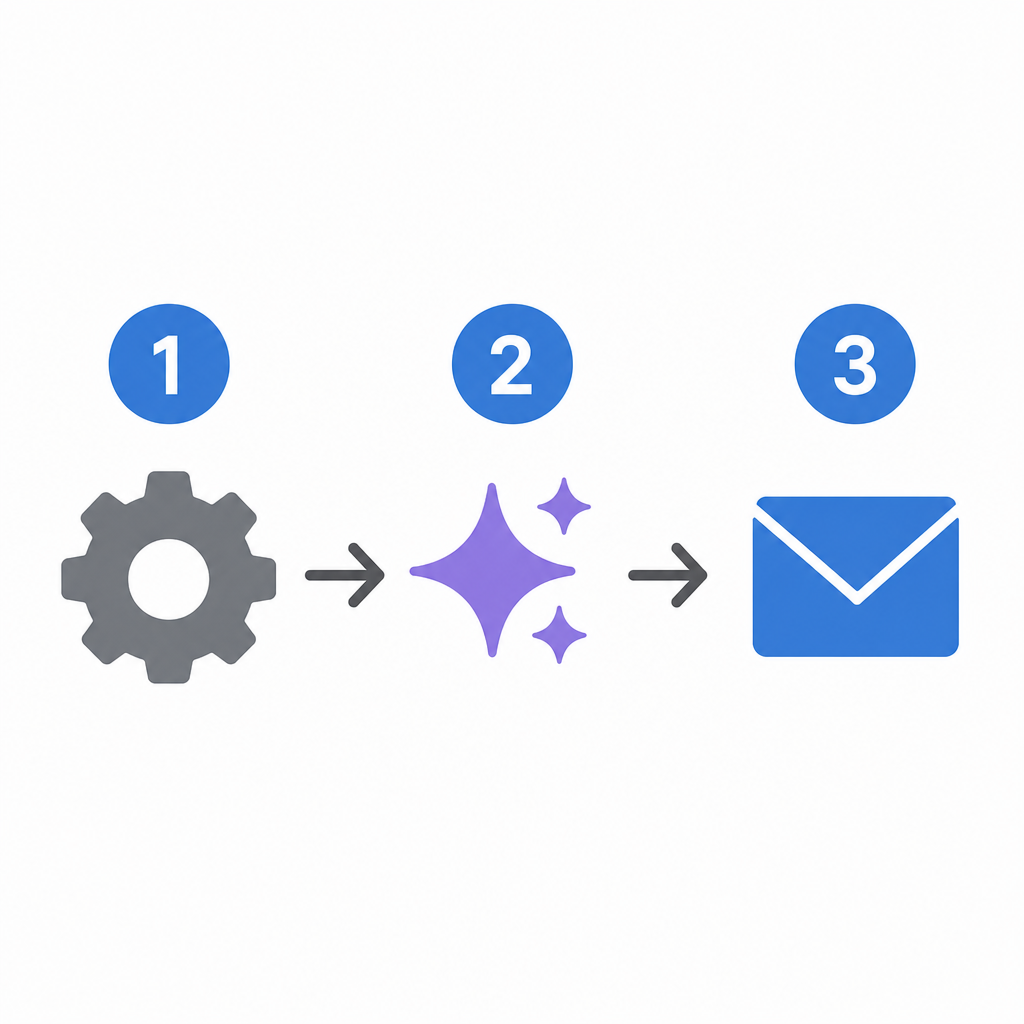
- 1. Input/Sync (Project details): Connect your recent calendar appointments or rough project notes.
- 2. Review/Refine (AI Draft): Watch the digital assistant instantly format descriptions and calculate your totals.
- 3. Send/Track (One-click delivery): Deliver the perfect invoice instantly and see exactly when your client opens it.
Executing this process through automated invoice processing software guarantees a perfect send with absolutely zero manual typing. You simply guide the tool, and it handles the tedious data entry and formatting for you.
Naturally, connecting your daily schedules to a billing system brings up valid questions about privacy. Storing your financial data in the AI cloud offers significantly more protection than a personal laptop.
The Digital Vault: Why Your Financial Data Is Safer in the AI Cloud
Many business owners worry about letting an online invoice generator see their client addresses or bank details. It often feels safer to keep everything saved on a personal laptop or a USB drive tucked away in a desk drawer. However, physical hard drives can crash, get lost, or be stolen, leaving your sensitive livelihood completely exposed to accidents.
Think of modern automated invoice processing software as a digital vault for your business. Instead of sitting unprotected on your home desktop, your data is locked inside "the cloud"—a network of highly guarded, off-site servers. These systems use bank-level safeguards to scramble your information, ensuring that even if someone tried to peek at your files, the text would just look like complete gibberish.
When choosing a billing platform, look for built-in security features like cloud-based tax compliance automation, which ensures your records stay both legally sound and fiercely protected. Knowing your financial reputation is riding in a digital armored car gives you incredible peace of mind.
Start Getting Paid Faster Today
You used to dread the end-of-month billing scramble, manually typing line items while worrying about math mistakes. Now, you know exactly how an AI invoice generator acts as your personal digital assistant to handle the busywork.
The perfect time to switch is before your next busy season hits. Commit to modernizing your process today with this simple action plan:
- Choose an invoice generator tool.
- Upload your logo.
- Send one test invoice.
AI isn't a complex mystery; it's a helpful tool you completely control. By streamlining cash flow with intelligent billing tools, you easily save 20 minutes per bill and create invoices fast. You now understand automated billing well enough to stop fighting with manual spreadsheets. Try sending that first test bill today, and notice how quickly you get your free time back.
Q&A
Question: What makes an AI invoice generator faster than using a static template?
Short answer: Instead of forcing you to retype client info and totals, an AI invoice generator pulls known details from memory, auto-fills your common services, and calculates everything instantly. It handles both the data entry and the layout, applies current tax rates automatically, and adds built-in payment links—so you move from notes to a polished, ready-to-send invoice in minutes with far fewer errors than manual templates.
Question: How does the tool turn my rough notes and receipts into a professional bill?
Short answer: It uses Smart Scanning powered by OCR to “read” photos of receipts or handwritten notes and convert them into clean, digital line items. Then, machine learning recognizes your recurring services (like “logo revisions”) and predicts the right prices, auto-filling the invoice. Finally, it formats the document professionally while calculating totals and taxes for you.
Question: Why are manual invoices so error-prone—and how does AI reduce those mistakes?
Short answer: Manual entry invites math errors, forgotten line items, and outdated tax rates. AI flips this by auto-calculating totals, remembering frequent charges, and updating tax rules in the background. Compared to static spreadsheets that rely on you to catch everything, AI generators dynamically adapt and can deliver up to 99% accuracy while saving about 20 minutes per bill.
Question: Can it help with recurring clients and late payments?
Short answer: Yes. You can “set and forget” recurring schedules so monthly retainers go out automatically. The system also manages polite, automated follow-ups for unpaid invoices and shows when a client opens the bill. That combination stabilizes cash flow and removes awkward collections calls.
Question: Is storing my financial data in the cloud actually safer?
Short answer: For most small businesses, yes. Instead of sitting on a vulnerable laptop or USB drive, your data is locked in a cloud “digital vault” with bank-level encryption and guarded, off-site servers. Look for features like automatic tax compliance and robust security controls—these keep your records both legally sound and protected while you invoice from anywhere.