
Getting paid for your hard work shouldn't be a struggle, yet many freelancers and small business owners find themselves chasing payments month after month. The root of the problem often lies in the invoice itself. A confusing, poorly formatted, or legally incomplete bill can delay processing times and hurt your cash flow.
Welcome to our comprehensive Invoicing Guide: How To Make Invoices . Whether you are a newly minted freelancer or a growing agency, mastering the billing process is crucial for your financial health. If you are constantly wondering, "how do you make an invoice that actually gets paid on time?" you are in the right place.
In this guide, we will walk you through exactly how to create an invoice, establish rock-solid payment terms, and utilize the right tools to automate your billing cycle.
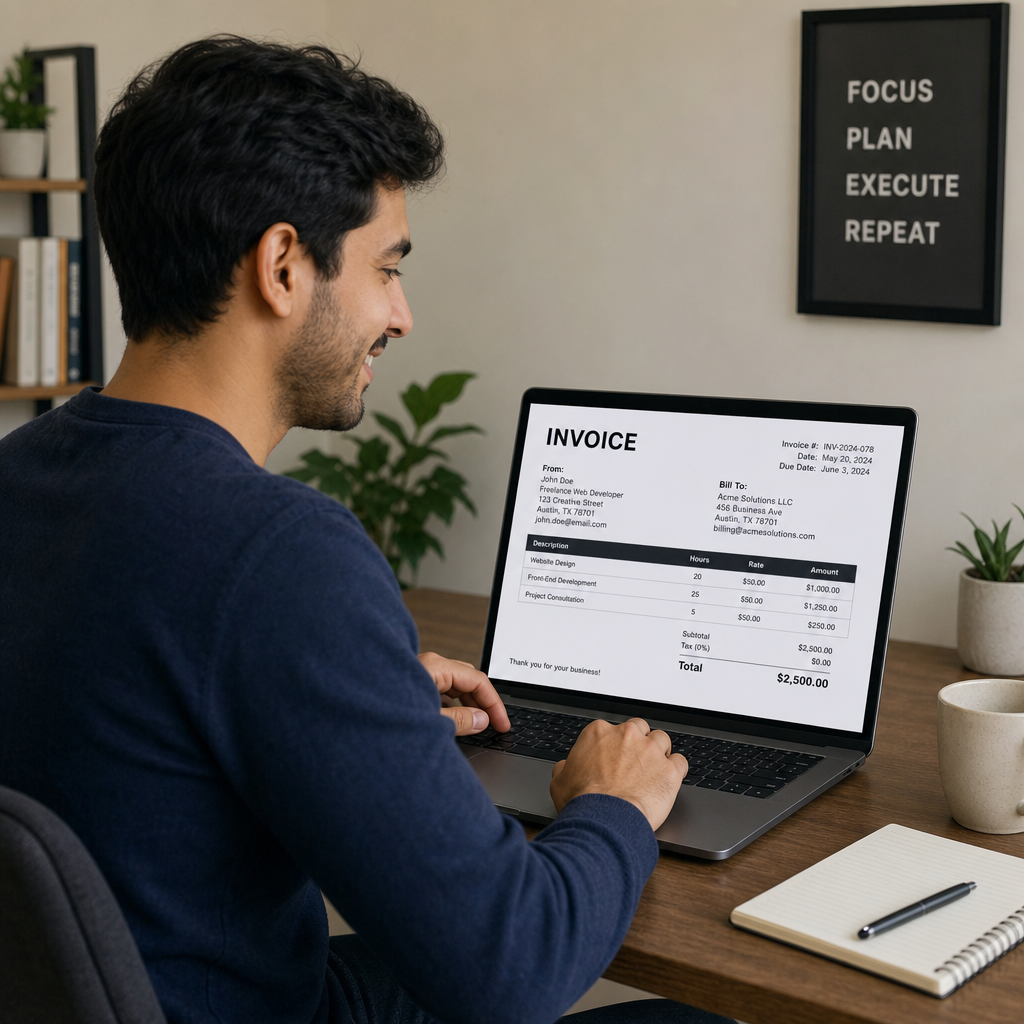
Invoice Software vs Manual Spreadsheets
When starting out, many entrepreneurs ask, "how do you make invoices without spending a fortune? " The default answer is often Microsoft Excel or Word. However, when comparing invoice software vs manual spreadsheets, the limitations of manual methods quickly become apparent.
Spreadsheets require you to manually input data, track unique invoice numbers, and calculate totals. One wrong formula can lead to embarrassing billing errors. Furthermore, manual documents don't offer automated reminders or built-in payment gateways.
On the flip side, dedicated invoicing software handles the heavy lifting. It stores client details, tracks what has been paid, and allows clients to pay via credit card with a single click. If you truly want to save time and project a premium image, migrating from spreadsheets to a digital platform is your best first step.
The Essential Components of a Business Invoice
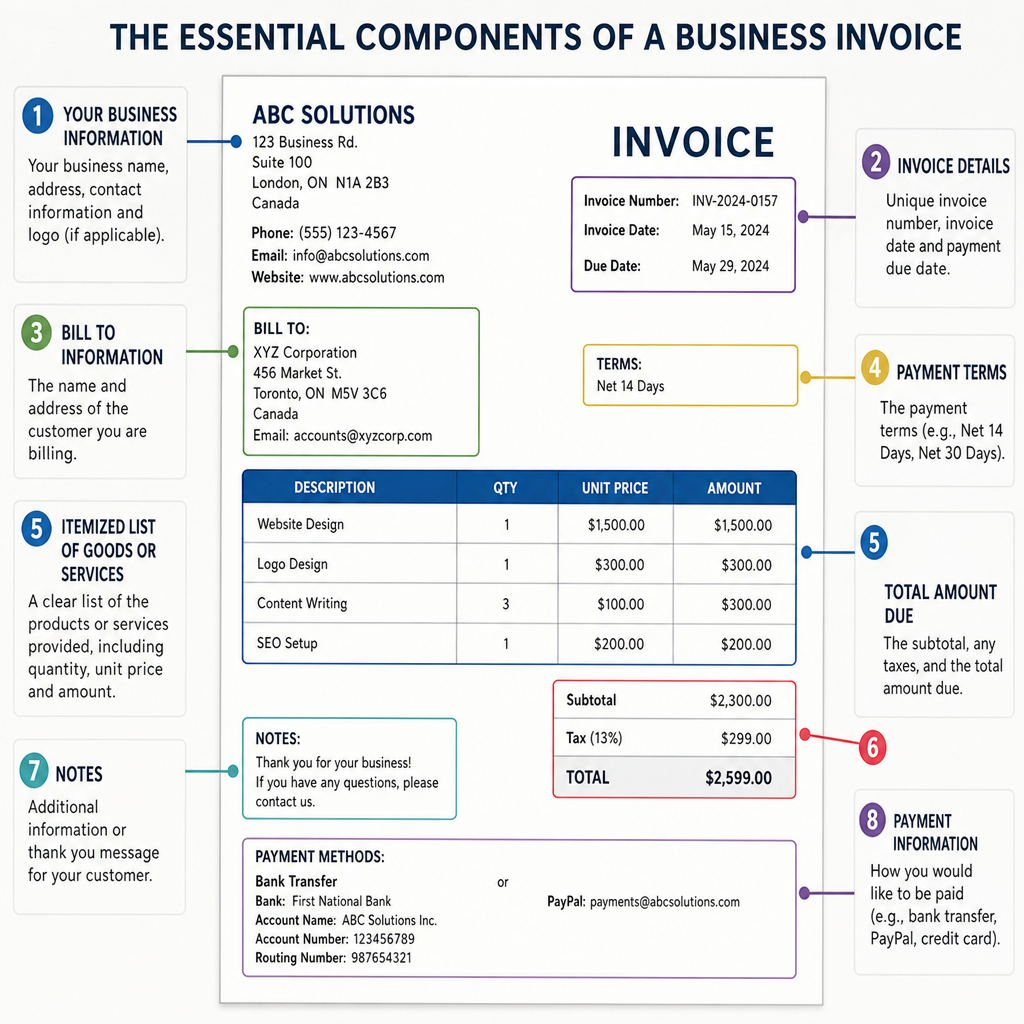
To ensure you get paid promptly, your invoice must be crystal clear. Missing information is the number one reason corporate accounting departments delay payments. Let's break down the essential components of a business invoice.
1. Header and Professional Branding
Your invoice is an extension of your business identity. Incorporating professional branding on business documents builds trust and makes your bill instantly recognizable.
- Add your high-resolution company logo.
- Use your brand's primary colors and professional typography.
- Clearly label the document with the word "INVOICE" at the top.
2. Contact Information
Both your information and your client's information must be accurate.
- Your Details: Business name, physical address, phone number, and email.
- Client's Details: The correct billing contact name, company name, address, and email. Sending a bill to the wrong department is a surefire way to experience payment delays.
3. Invoice Number and Dates
Every time you make invoice documents, they must include a unique, sequential invoice number (e.g., INV-00101). This is vital for tax purposes and makes referencing the document easier. Additionally, clearly state the "Date of Issue" and the "Payment Due Date."
4. Detailed Line Items
Never be vague about what you are charging for. Itemizing products and services accurately prevents client confusion and disputes.
- Include a brief description of the work completed.
- State the quantity (or hours worked) and the rate per unit/hour.
- Show the total line amount for each specific service.
5. Taxes and Total Amount Due
Depending on your region, you must understand the rules for calculating sales tax on invoices (such as VAT, GST, or state sales tax). Clearly separate the subtotal, the exact tax amount, any discounts applied, and the final Total Amount Due in bold lettering.
Establishing Clear Payment Terms
Telling your client exactly how and when to pay is just as important as telling them what they owe. Setting up professional payment terms for small businesses will drastically reduce friction in the payment process.
Standard Due Dates
Avoid using vague terms like "Due upon receipt" if possible, as corporate clients often run on standard billing cycles. Instead, use specific timeframes like:
- Net 15: Payment due 15 days from the invoice date.
- Net 30: Payment due 30 days from the invoice date (the standard for most B2B transactions).
Clear Payment Methods
Make it ridiculously easy for your clients to give you money. Offer multiple payment gateways, such as credit card links (via Stripe or PayPal), ACH bank transfers, or standard checks. If you work with overseas clients, be sure to include clear international wire transfer instructions, including your bank's SWIFT/BIC code, IBAN, and routing numbers.
Handling Late Payments Upfront
Nobody likes penalizing a client, but having a consequence for ignoring due dates is a necessity. Include clear late fee policy documentation at the bottom of your bill. A standard approach is charging a 1.5% to 2% interest fee per month on overdue balances. Simply adding a note like, "A late fee of 2% per month will be applied to balances past 30 days," often incentivizes prompt payment.
How to Create Your Invoice Efficiently
So, functionally, how do you make an invoice? You have two main routes: utilizing templates or leveraging dedicated software.
Route 1: Using an Invoice Template Maker
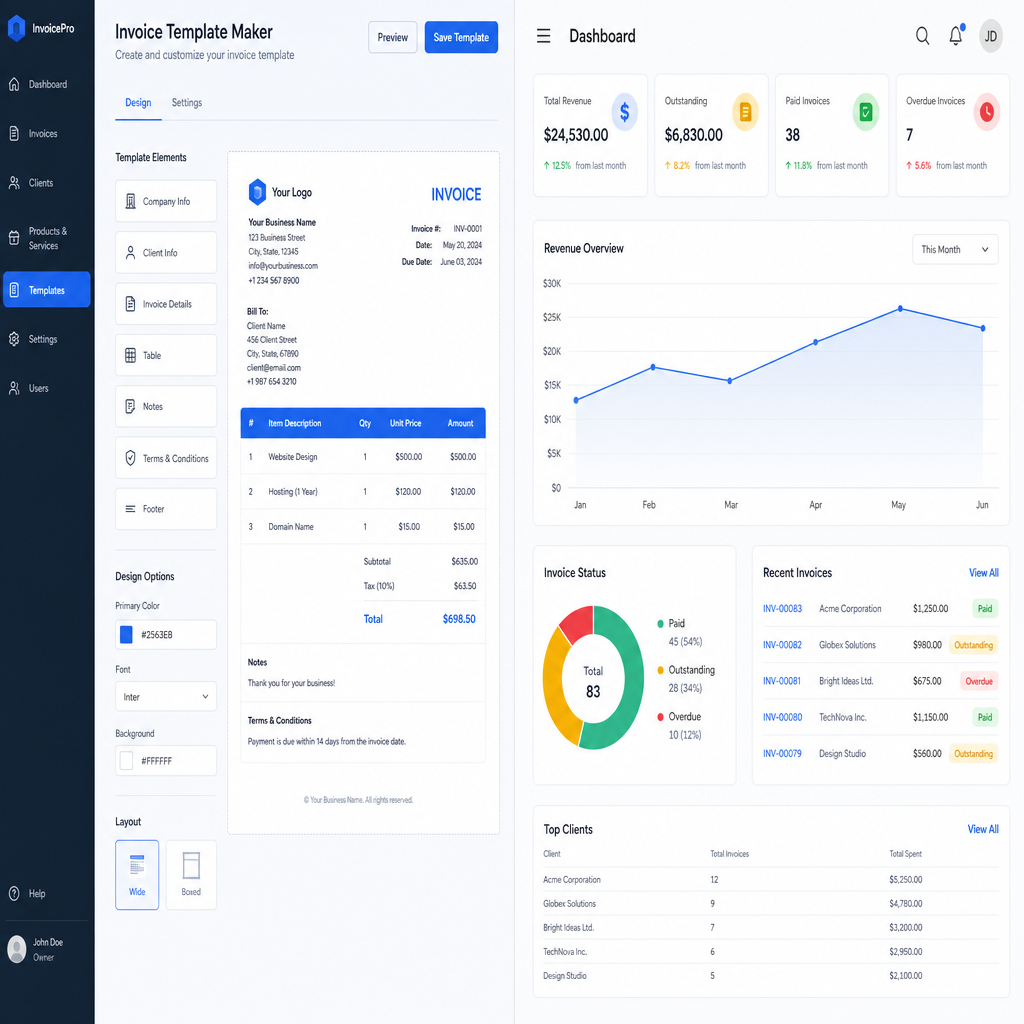
If you only bill a handful of clients a month, using an invoice template maker is a great stepping stone. You can easily find highly customizable, free invoice templates for freelancers online through platforms like Canva, Google Docs, or specialized business blogs.
To make an invoice template that works for you:
- Download a reliable format (PDF or Word/Google Doc).
- Input your static information (logo, business address, payment details).
- Save this master file as your "base."
- Every time you need to create invoice template documents for a specific job, duplicate the base file, update the line items and invoice number, and export it as a non-editable PDF before sending.
Route 2: Leveraging Dedicated Platforms
For growing businesses, investing in one of the best invoicing platforms for small business (like FreshBooks, QuickBooks, Xero, or Wave) is a game-changer. These platforms follow electronic invoicing best practices by keeping your data secure and formatted perfectly.
Furthermore, software allows you to automate repetitive tasks. For example, if you have clients on monthly retainers, you can easily handle setting up recurring billing. The system will automatically generate and email the bill on the 1st of every month without you having to lift a finger.
Staying Compliant: Legalities and Mistakes
As your business grows, ensuring your documents are legally compliant becomes a top priority. Depending on your country or state, the legal requirements for professional invoices can vary wildly. Generally, you must include:
- Your registered business name and legal structure (e.g., LLC, Ltd).
- Your tax identification number (EIN, VAT number, etc.).
- The client's tax identification number (in certain B2B transactions).
Furthermore, mastering the billing process requires avoiding common invoicing mistakes. Some of the most frequent errors include:
- Failing to proofread: Sending an invoice with math errors looks unprofessional and halts the payment process.
- Delaying the send: Send your bill immediately upon project completion. The longer you wait to invoice, the longer the client will wait to pay.
- Surprise charges: Never add unapproved expenses to a final bill. Always get written sign-off for out-of-scope work before billing for it.
Dealing with Unpaid Invoices
Even with a perfect document, you will eventually encounter a client who pays late. Knowing how to handle overdue invoice payments professionally is a crucial business skill.
- Day 1 (The Day After Due Date): Send a polite email reminder. Assume they simply forgot or the email got buried. Include a fresh link to the bill.
- Day 7: Send a slightly firmer reminder. Politely ask if there are any issues with the invoice or if they need you to resend the payment link.
- Day 15: Remind them of your late fee policy. Inform them that if payment isn't received by a certain date, the late fee will be officially applied to the balance.
- Day 30+: Pick up the phone. A direct phone call is often harder to ignore than an email and can quickly clear up miscommunications with accounting departments.
Pro tip: Using modern invoicing software automates steps 1 through 3, sending polite, pre-written reminders on your behalf so you don't have to play the role of debt collector.

Conclusion
Mastering the art of getting paid doesn't have to be intimidating. By understanding how to create an invoice that is visually appealing, legally compliant, and incredibly easy to pay, you remove the barriers that cause delayed cash flow.
Whether you opt to customize free templates or invest in top-tier software, remember that consistency is key. Itemize your services clearly, establish firm payment terms from day one, and don't be afraid to follow up professionally when due dates are missed. Implement these essential steps today, and watch your business's cash flow become more predictable, manageable, and stress-free.
¿Prefieres leer en español? Lee nuestra guía Cómo usar un Generador de Factura gratuito.
Q&A
Question: Should I use invoice templates or dedicated invoicing software, and when should I switch?
Short answer: If you invoice only a few clients each month, a template maker (e.g., Google Docs, Canva) is a great start. Create a branded base file with your static details, duplicate it for each job, update line items and the invoice number, then export as a non-editable PDF before sending. As you grow, switch to dedicated invoicing software (e.g., FreshBooks, QuickBooks, Xero, Wave) to save time and reduce errors. Software stores client data, tracks payments, sends automated reminders, accepts card payments with one click, and handles recurring billing. Signs it’s time to switch include frequent manual edits, recurring clients, the need for payment links, and too much time spent chasing due dates.
Question: What are the essential elements every invoice must include to avoid payment delays?
Short answer: Make your invoice crystal clear and complete. Include:
- Branding and clarity: your logo, brand colors/typography, and the word “INVOICE” at the top.
- Contact info: your business name, address, phone, email; plus the client’s correct billing contact, company, address, and email.
- Tracking: a unique, sequential invoice number; issue date; payment due date.
- Line items: clear descriptions, quantities or hours, rates, and per-line totals.
- Totals and taxes: subtotal, taxes (VAT/GST/state sales tax) shown separately, any discounts, and the final Total Amount Due in bold.
- Payment terms: accepted methods and any late-fee note.
Missing or vague details are a top reason corporate accounting delays payment.
Question: How should I set payment terms and accepted methods to get paid faster?
Short answer: Use specific timelines like Net 15 or Net 30 instead of “Due upon receipt,” which often gets batched into longer billing cycles. Offer multiple easy options—credit card links (e.g., via Stripe or PayPal), ACH bank transfer, or checks. For international clients, include wire details (SWIFT/BIC, IBAN, routing numbers). Add a clear late-fee policy (commonly 1.5%–2% per month after 30 days) at the bottom of the invoice to encourage on-time payment.
Question: What legal requirements and common mistakes should I watch for?
Short answer: Legal needs vary by country/state, but generally include:
- Your registered business name and legal structure (LLC, Ltd, etc.).
- Your tax identification number (EIN, VAT, etc.).
- The client’s tax ID where required for certain B2B transactions.
Also avoid common mistakes that stall payments: - Not proofreading—math or spelling errors look unprofessional and cause processing delays.
- Delaying the send—invoice immediately after completing the project.
- Surprise charges—don’t add unapproved items; get written sign-off for out-of-scope work first.
Question: How do I follow up on overdue invoices professionally?
Short answer: Use a clear, escalating schedule:
- Day 1 (after due date): Send a polite reminder with a fresh link to pay.
- Day 7: Send a firmer nudge and ask if there are any issues or if they need the link resent.
- Day 15: Reference your late-fee policy and the date it will be applied if unpaid.
- Day 30+: Call directly—phone conversations often clear up accounting bottlenecks.
Modern invoicing software can automate the first three reminder steps so you spend less time chasing payments.