
You just finished a brutal ten-hour shift, and the last thing you want is to sacrifice Sunday evening to messy paperwork. According to industry data, independent professionals waste over 15 hours a month simply typing out labor and material descriptions. A digital billing system—purpose-built invoicing software for contractors—turns that endless headache into a two-minute task, delivering immediate administrative ROI by giving you your weekends back.
How does this technology work without needing a finance degree? Think of an invoicing app as your digital corkboard and a core piece of a streamlined invoicing system, organizing every project right where you can see it. Instead of mailing a paper bill, you create an instant digital record that securely captures exactly what was done, sending it straight to the client before you even leave their driveway.
Making this switch transforms you from an exhausted worker into an organized business owner. By utilizing dedicated invoicing software for contractors, you stop chasing money and look like a highly capable professional who expects prompt compensation. In practice, this straightforward upgrade is incredibly effective at reducing late payments in the trades, ensuring your hard work finally translates directly to your bank account.
Look Like a Pro to Get Paid Like a Pro
Handing a client a messy, handwritten receipt makes them instantly question your rates, regardless of how flawless your actual work was. The psychological impact of branded business documents is massive; when your logo and colors match across all communications, it signals deep reliability to your customers. That built-in trust is exactly why creating professional service estimates and quotes is a surefire way to win more bids and easily justify your premium pricing.
You might wonder exactly what should be included on a contractor invoice to achieve this polished, high-value look. Instead of dumping a single massive number on a page, your digital billing needs to hit a few specific marks to build confidence. The standard checklist features four essentials:
- Clear business branding (your logo and contact info)
- Itemized labor and materials
- Unmistakable payment terms (like "Due in 15 Days")
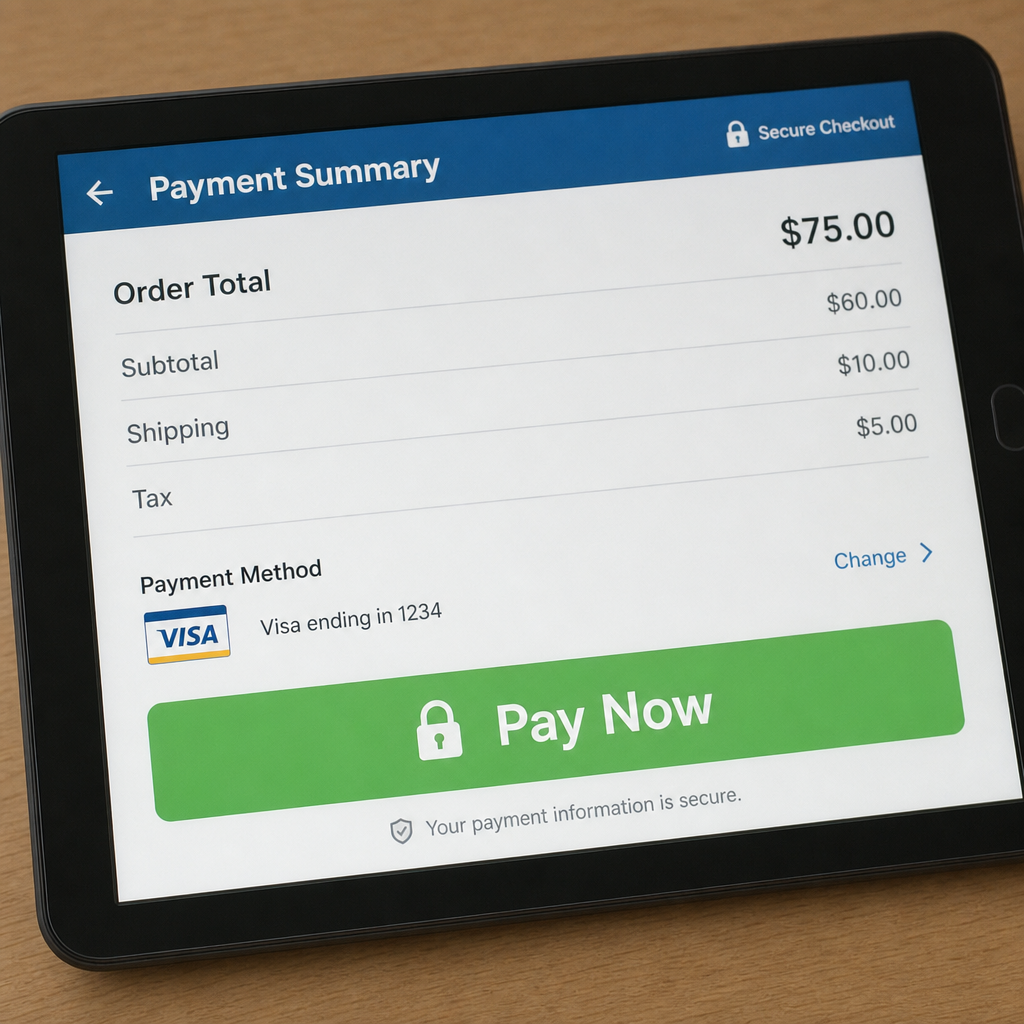
- A clickable 'Pay Now' button
Clients rarely argue with transparency, which is why clearly separating your costs works so well. This itemization psychology prevents disputes by showing exactly where their money goes, stopping the "sticker shock" before it starts. The best invoice program will make building these detailed lists as easy as tapping a screen from your truck. Once that crisp bill lands in their inbox, your next priority is ensuring they act on it—bringing us directly to how you can get your money 10 days sooner with automated reminders.
Get Your Money 10 Days Sooner with Automated Reminders
We've all heard a client claim they simply never received your bill. The best invoice app solves this instantly by adding read receipts, a digital tracking feature that works exactly like signing for a certified letter. You get an alert the second your customer opens the document, entirely eliminating those frustrating "lost in the mail" excuses.
Chasing down those opened-but-unpaid bills shouldn't consume your weekend. Setting up automated payment reminders for small business billing creates a polite, digital assistant that does the collection work for you. If a bill hits the 15-day mark, the software automatically sends a friendly nudge to their inbox, saving you from awkward phone calls while keeping cash moving.
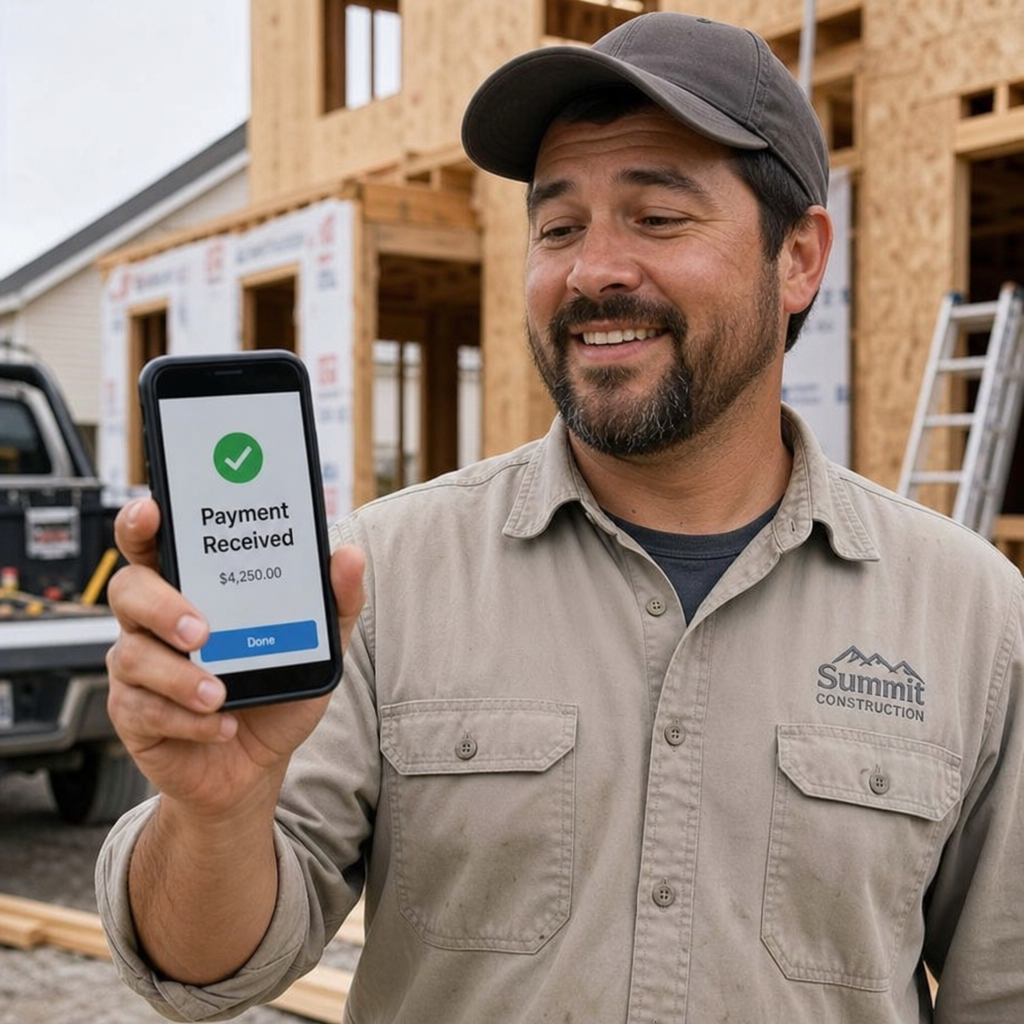
When customers can settle their balance directly from that reminder email, your waiting period drops drastically. This happens through a payment gateway, which is simply the background service that securely connects a clickable 'Pay Now' button to your bank. Offering integrated payment processing for job sites means your client can easily type in their credit card on their phone while you are still packing up your tools.
That seamless combination of instant card acceptance and automatic follow-ups completely transforms your cash flow. Instead of waiting weeks for a paper check to arrive and clear, your money lands in a matter of days. Getting paid before you even drive away becomes a reality once you transition to billing on the go: from job site to bank account.
Billing on the Go: From Job Site to Bank Account
Leaving a job site shouldn't mean the start of your evening paperwork shift. By treating your smartphone like a pocket-sized office, a modern invoicing app completely eliminates the need to decipher messy field notes later. You can finalize your administration before the truck engine even cools down using three specific ways mobile apps save field workers time:
- Snapping photos of material receipts so nothing gets lost.
- Tracking billable hours for field workers on the drive home.
- Getting digital signatures to finalize work immediately.
Forgotten materials eat directly into your hard-earned profits. With built-in mobile receipt scanning and expense management, you capture job costs the second you walk out of the supply house. The software instantly reads the photo of your receipt and attaches that dollar amount directly to the client's draft bill, ensuring you never accidentally pay out of pocket for a customer's requested parts.
Securing immediate client approval provides the ultimate peace of mind. Mobile signature capture works just like a digital handshake; your customer signs directly on your phone screen with their finger, creating a permanent record that prevents future disputes over completed work. With these quick daily routines streamlined, you are fully prepared to scale up your operations by mastering complex jobs: progress billing and job costing.
Mastering Complex Jobs: Progress Billing and Job Costing
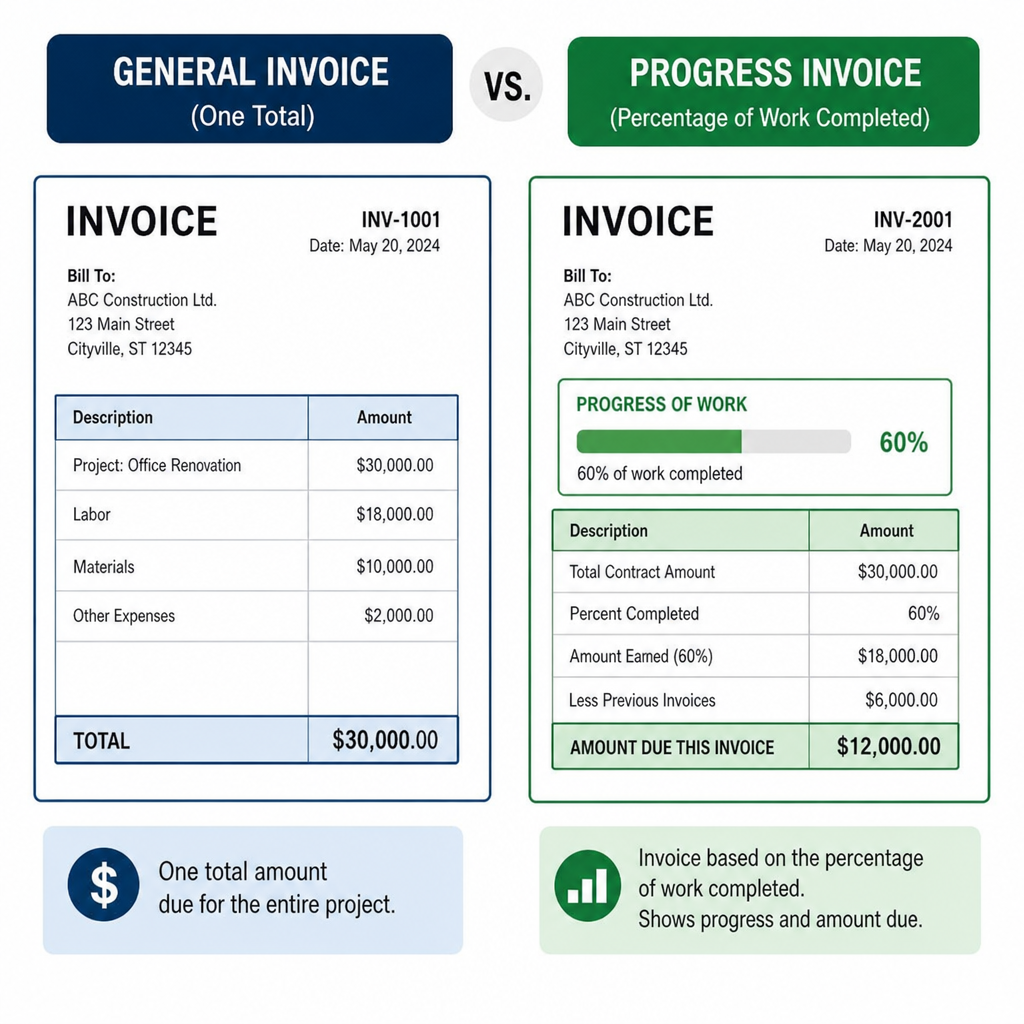
Taking on larger jobs shouldn't mean waiting months to get paid. When you transition from quick repairs to multi-week remodels, relying on progress billing for construction projects keeps your cash flowing. Instead of one massive bill at the end, you invoice for the percentage of work completed along the way.
Commercial clients often require a more formalized approach to these partial payments. They typically expect AIA style G702 and G703 billing forms, which act as a standardized summary of your contract, what you've billed so far, and "retention"—a small percentage the client holds back until the final punch list is done.
Finding the right digital tool becomes critical when managing these moving parts. Here is a quick look at how specialized construction billing apps vs general accounting software stack up:
- General Software: Bills one flat amount, struggles to track partial phase completions, and ignores retention holdbacks.
- Construction Apps: Automatically calculate completion percentages, generate standard AIA-style documents, and safely track pending retention funds.
Ultimately, finishing a massive project only feels good if you actually made money. By reviewing job costing and project profitability reports, your software compares your exact labor and material expenses against your progress invoices to reveal your true margins. Once you know your profits are healthy, your next step is organizing those hard-earned numbers by staying legal and ready for tax season.
Staying Legal and Ready for Tax Season
You already know taxes and coverage policies are necessary evils, but chasing paperwork shouldn't consume your weekends. The right digital tools turn managing lien waivers and insurance certificates from a frustrating scavenger hunt into an automatic reflex. By attaching these protective documents directly to your final bill, the software proves to your client that the job is legally cleared, allowing them to confidently release your payment without hesitation.
Automating your cash flow becomes just as important as protecting it, especially for ongoing client relationships. By setting up recurring billing for maintenance contracts, you create a predictable, steady income stream. Instead of starting from scratch every month to bill a customer for regular landscaping upkeep or IT support, your system acts as a reliable background process, generating and emailing the charges on an automatic cycle while you focus on the actual work.
When April finally arrives, all this digital organization makes tax preparation surprisingly painless. Invoicing as a 1099 contractor is simple when modern small business accounting programs track every single dollar in the background for you. You just hand a clean summary to your accountant, leaving you completely ready to tackle your 30-day blueprint for stress-free invoicing.
Your 30-Day Blueprint for Stress-Free Invoicing
You no longer have to spend Sunday evenings buried in paperwork. By shifting to a digital workflow, you transform the exhausting "before"—waiting 14 days for a paper check—into the "after"—seeing funds hit your bank in just 3 days. Reclaiming those hours allows you to spend more time with family or take on lucrative new jobs.
Transitioning to dedicated invoice software isn't about achieving digital perfection; it's about establishing a more efficient workflow with a simple four-step plan:
- Pick a tool: Compare free vs paid billing tools for handymen (starting with free invoicing software for small business is a great, low-risk upgrade), then shortlist the best invoice software for small business as you grow.
- Import clients: Add your existing client list into the system.
- Get connected: Set up one simple 'Pay Now' button.
- Take action: Send your first mobile invoice from the job site.
Q&A
Question: Why should contractors switch to invoicing software instead of sticking with paper bills?
Short answer: It turns hours of paperwork into a two-minute task, improves professionalism, and speeds up payments. Independent pros waste 15+ hours a month typing descriptions; a purpose-built invoicing app acts like a digital corkboard, creates a secure record of what was done, and sends it before you leave the driveway. The polished, consistent look helps you appear organized and trustworthy, which reduces late payments and gets money into your bank in days instead of weeks.
Question: What should a professional contractor invoice include to build trust and support premium pricing?
Short answer: Use clear branding, transparent details, firm terms, and easy payment. The standard checklist is:
- Clear business branding (logo and contact info)
- Itemized labor and materials
- Unmistakable payment terms (e.g., “Due in 15 Days”)
- A clickable “Pay Now” button Itemization psychology matters: separating costs shows exactly where money goes, preventing “sticker shock” and disputes, and helping clients accept your rate.
Question: How do read receipts, automated reminders, and a “Pay Now” button help you get paid up to 10 days sooner?
Short answer: Read receipts prove the invoice was opened, eliminating “never got it” excuses. Automated reminders act like a polite digital assistant, nudging clients at set intervals (for example, at 15 days) so you don’t have to chase payments. A payment gateway powers the “Pay Now” button, letting customers pay from the invoice or reminder email—often by card on their phone—so funds hit your account in days, not weeks, and sometimes before you leave the job site.
Question: How does mobile invoicing save time on the job site and protect profits?
Short answer: It turns your phone into a pocket office so you finish admin before the truck cools down. Key time-savers include:
- Snapping photos of receipts so materials get billed and nothing is lost.
- Tracking billable hours on the drive home.
- Capturing digital signatures to finalize work immediately. Receipt scanning links costs to the draft invoice on the spot, signature capture creates a permanent approval record to prevent disputes, and the whole workflow eliminates the late-night paperwork catch-up.
Question: How does invoicing software handle larger, complex projects and keep you ready for tax season?
Short answer: It supports progress billing, industry-standard documentation, profitability tracking, and compliance. For multi-week jobs, you invoice percentages of completion instead of one big final bill. Commercial work often requires AIA-style G702/G703 forms and tracking “retention”—construction-focused apps automate percentages, generate those documents, and track holdbacks better than general accounting tools. Job costing and profitability reports compare actual labor/materials to progress invoices so you know your true margins. To stay legal and speed payment release, you can attach lien waivers and insurance certificates to the final bill. Recurring billing creates steady cash flow for maintenance contracts, and when tax time arrives, your organized records make 1099 invoicing straightforward.