
Every successful business transaction concludes with a critical piece of paperwork: the invoice. However, an invoice is far more than just a polite request for payment. It is a reflection of your brand's professionalism, a legally recognizable document, and the primary engine driving your business's cash flow.
If you have ever wondered how to create professional billing documents that get paid on time while leaving a positive final impression on your clients, you are in the right place. Choosing the right pdf invoice template is the foundational step toward achieving an organized, efficient billing process.
In this comprehensive guide, we will explore the anatomy of the perfect invoice, the tools available to build one, and the best practices to ensure your accounts receivable process runs flawlessly.
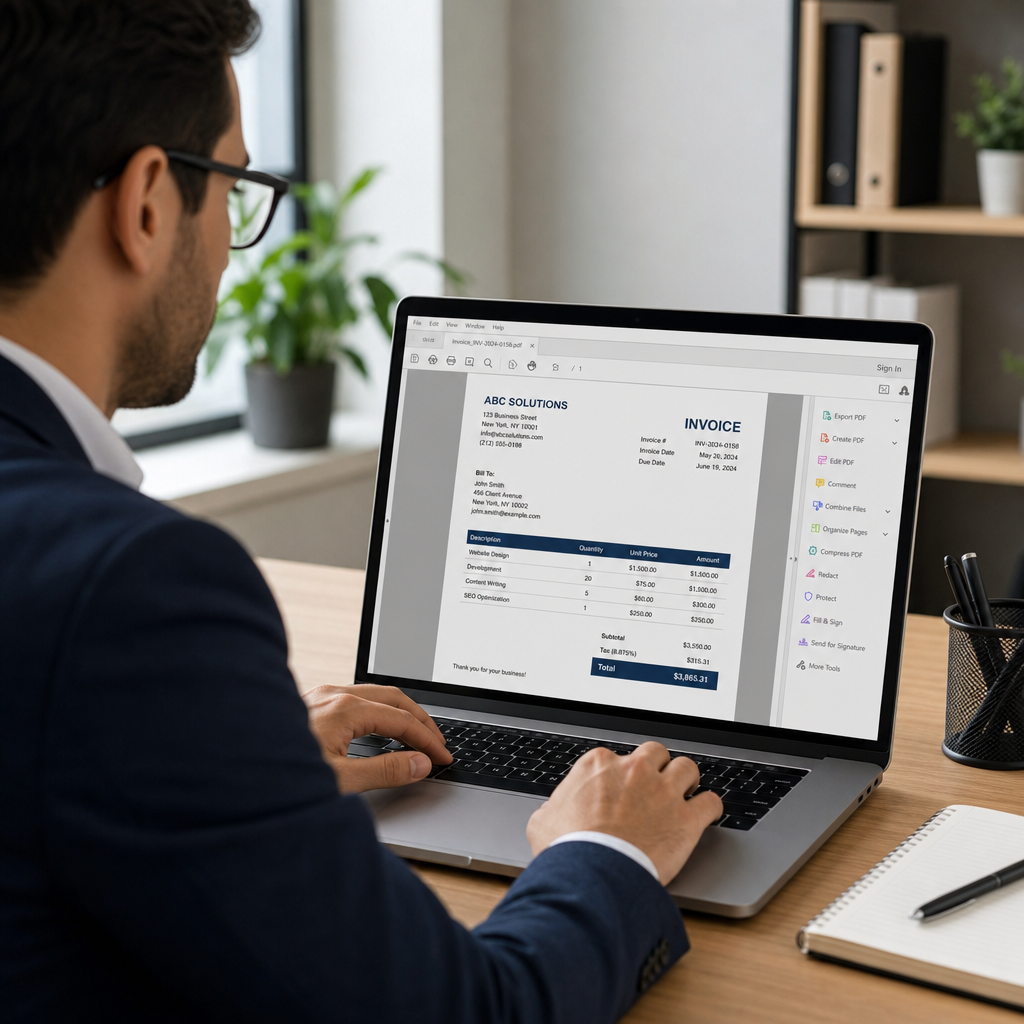
Why the PDF Format Reigns Supreme
When sending an invoice, the file format you choose matters immensely. While it might be tempting to send over a quick Word document or spreadsheet, the benefits of using non-editable billing formats like PDF cannot be overstated.
First and foremost, a PDF locks your layout into place. Whether your client opens the document on a Mac, a Windows PC, or a smartphone, the design, fonts, and totals will look exactly as you intended. This consistency is crucial for standardizing accounts receivable documentation across your entire organization.
Furthermore, PDFs provide a layer of security. Because they are difficult to alter without leaving a digital footprint, they protect both you and your client from accidental typos or unauthorized modifications to the total amount due.
This naturally leads to a common question for new business owners: is a digital invoice legally binding? The short answer is yes. As long as your digital PDF invoice contains all the statutory elements required by your local tax authorities and accurately reflects an agreed-upon transaction, it is just as legally binding as a physical paper document.
Essential Elements of a Commercial Invoice
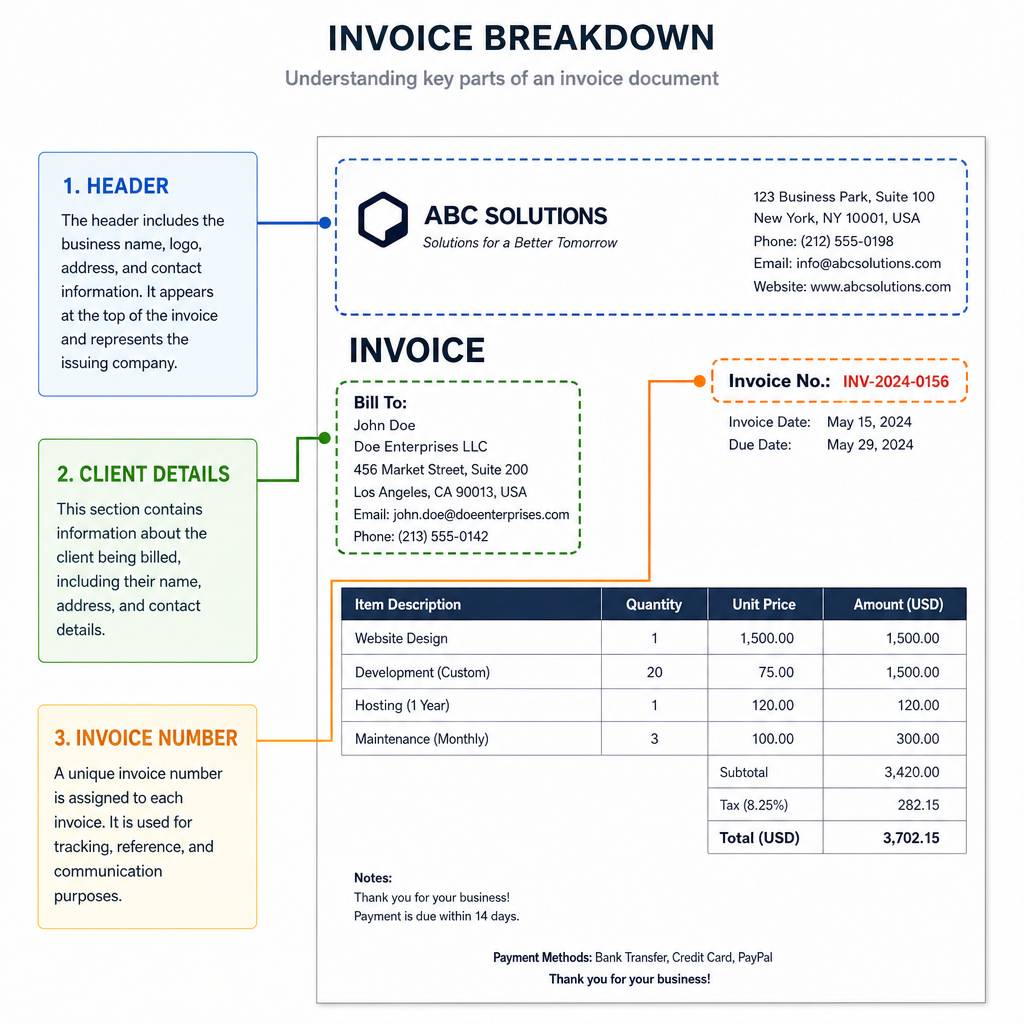
To ensure your billing document is professional, compliant, and easy to process, your invoice format template must include several specific features. Let's break down the anatomy of an effective invoice.
1. Professional Header and Branding
Your invoice is a continuation of your brand experience. Knowing how to customize invoice branding for freelancers and small businesses is an easy way to stand out. At the very top of your template, include:
- Your high-resolution business logo.
- Your full business name and legal entity type.
- Your physical address, email, and phone number.
- Your business registration or tax identification number.
2. Clear Invoice Numbering
A logical numbering system prevents accounting headaches down the road. Implementing invoice numbering best practices for small business means using sequential, unique identifiers for every bill you send. You might use a simple numeric system (e.g., 00101, 00102) or an alphanumeric system that denotes the year or client (e.g., INV-2023-ABC-01). Never repeat an invoice number.
3. Client Information and PO Numbers
Clearly state who is being billed. Include the client's company name, the specific contact person's name, and their billing address.
Additionally, for B2B transactions, including purchase order numbers on billing statements is highly recommended. Many enterprise clients will simply reject an invoice if the corresponding PO number is missing, as their accounts payable department relies on it to authorize the funds.
4. Itemized Goods and Services
Clarity is king when it comes to getting paid quickly. When outlining the essential elements of a commercial invoice, the line-item description is arguably the most vital. Do not just write "Services rendered." Instead, detail exactly what was provided, the quantity or hours, the rate per unit, and the line total.
If you are a registered business wondering what details are required on a tax invoice, you must clearly break down the subtotal, the exact tax applied (such as VAT, Sales Tax, or GST), and the final total amount due.
5. Payment Terms and Conditions
Do not leave your client guessing when or how they should pay you. Setting clear payment terms and late fee policies directly on the invoice eliminates ambiguity.
- Due Date: Specify an exact date (e.g., "Due on November 15, 2023") rather than vague terms like "Net 30."
- Payment Methods: Provide your bank details for direct transfers, a link to a payment portal, or instructions for mailing a check.
- Late Fees: Politely but firmly state your policy on overdue payments (e.g., "A 1.5% late fee will be added per month on overdue balances").
Proforma vs. Tax Invoices: Understanding the Difference
As your business grows, you will encounter different types of billing documents. It is important to understand the difference between proforma and tax invoices so you can use your templates correctly.
A proforma invoice is essentially a preliminary bill of sale sent to a buyer before the goods are shipped or the services are fully rendered. It acts as a good-faith estimate that outlines the scope of work and the expected cost. It is not recorded as accounts receivable and cannot be used by the client to reclaim taxes.
A tax invoice, on the other hand, is the official, finalized request for payment issued after the order has been fulfilled. It officially records the sale, registers the tax liabilities (such as GST or VAT), and acts as a legal tax document for both the buyer and the seller.
Moving From Manual to Automated Billing
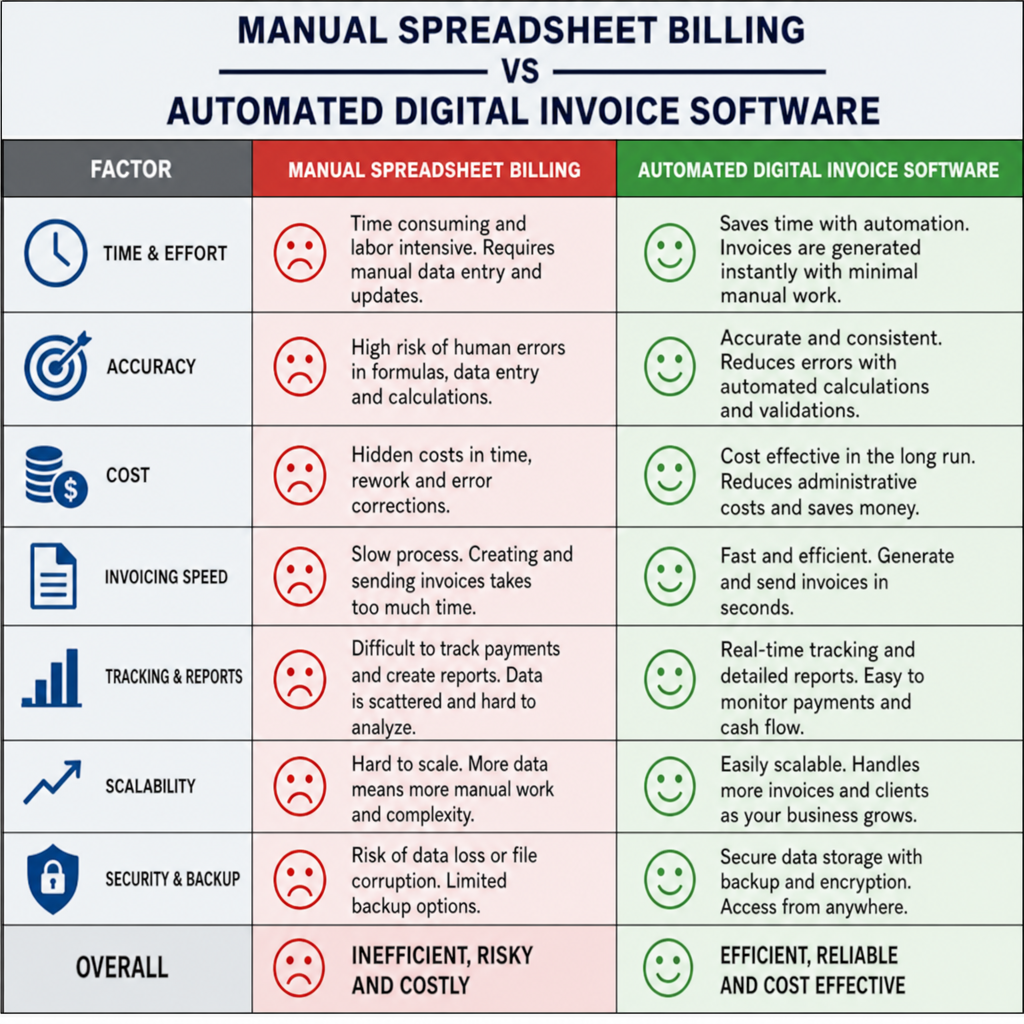
In the early days of a business, it is common to rely on manual processes. Many entrepreneurs start by converting Excel spreadsheets to professional billing formats by "Saving as PDF." While this works when you only have two or three clients, it quickly becomes an administrative nightmare as you scale.
Digital Billing Software vs Manual Templates
Evaluating digital billing software vs manual templates is a necessary step for any growing enterprise.
Manual templates (like Word or Excel files you edit each time) require you to manually track invoice numbers, calculate taxes by hand, and remember to follow up on late payments. This leaves significant room for human error.
Conversely, using dedicated invoice creator software automates these tedious tasks. Software solutions automatically assign the next sequential invoice number, calculate complex tax rates instantly, and can even send automated email reminders to clients as the due date approaches.
Tools to Build the Perfect Invoice
Fortunately, the internet is teeming with tools designed to help you generate flawless PDFs without requiring a degree in graphic design.
Free Downloadable Templates
If you are operating on a shoestring budget, searching for a free downloadable invoice template is a great starting point. Many websites offer beautifully designed templates in Word, Google Docs, or Canva formats that you can customize, fill out, and export as a secure PDF.
Online Invoice Generators
For a slightly more streamlined approach, consider using a free invoice creator online . These web-based tools allow you to plug your data into pre-formatted fields. Once you hit generate, the invoice builder creates a perfectly formatted PDF ready to be downloaded or emailed directly to your client.
For businesses operating in regions with Goods and Services Tax, an online invoice generator gst is specifically tailored to apply the correct tax percentages and ensure all statutory compliance details are met without manual calculation.
Design Best Practices: Mobile Optimization and Layout
A beautiful template does more than just look nice; it facilitates faster payments. Streamlining business payment cycles with clear layouts involves using ample white space, highly legible fonts, and clear visual hierarchy. Make sure the "Total Due" and "Due Date" are the most prominent text on the page.
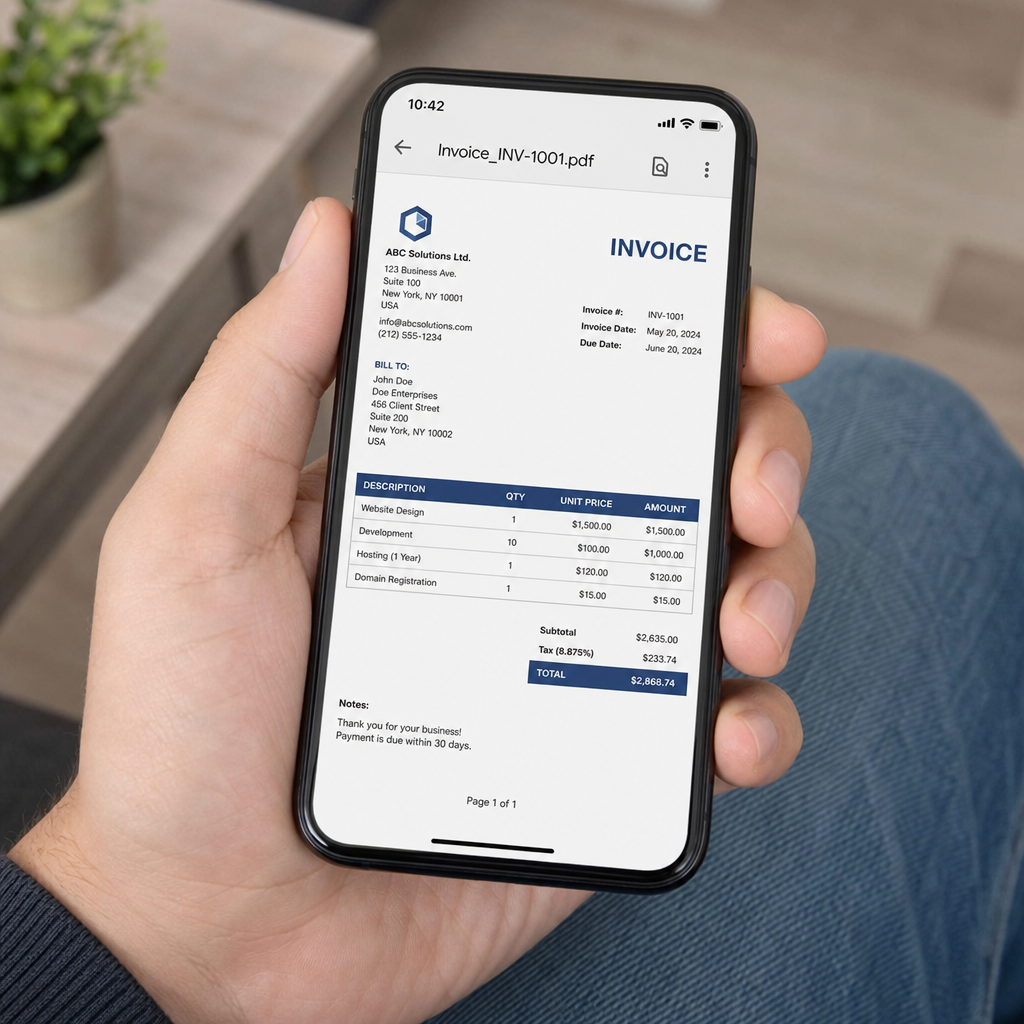
Furthermore, we live in a mobile-first world. There is a high probability that your client will open your invoice while commuting or sitting in a coffee shop. Therefore, optimizing billing layouts for mobile devices is essential.
- Avoid using tiny font sizes (keep main text around 10-12pt).
- Ensure that your PDF layout doesn't require excessive zooming or horizontal scrolling to read the payment terms.
- If you include clickable links (like a "Pay Now" button), make sure they are large enough to be easily tapped with a thumb on a smartphone screen.
Conclusion
Your invoice is the bridge between your hard work and your bank account. By moving away from easily altered files and adopting a sturdy pdf invoice template, you protect your business, project authority, and make it incredibly easy for clients to pay you.
Whether you choose to start with a simple invoice format template or fully upgrade to advanced invoice creator software, ensuring that your bills include all necessary elements—from strict numbering practices to clear payment terms—will drastically reduce payment friction. Remember, the easier your invoice is to read, understand, and process, the faster you will see those funds clear your account. Optimize your billing process today, and take control of your business's financial future.
Q&A
Question: Why should I use a PDF for invoices instead of Word or Excel?
Short answer: PDFs preserve your layout across all devices, ensuring your design, fonts, and totals look exactly as intended. They’re harder to alter without leaving a trail, adding a layer of security. This consistency helps standardize documentation across your organization and reduces errors or disputes.
Question: Are digital PDF invoices legally binding?
Short answer: Yes. A digital PDF invoice is legally binding if it includes all statutory elements required by your local tax authorities and accurately reflects an agreed-upon transaction. It carries the same legal weight as a paper document.
Question: What essential elements should every invoice include?
Short answer: Include a professional header with logo, business name, contact details, and registration/tax ID; a unique, sequential invoice number; complete client details and any purchase order (PO) number; a clear, itemized list of goods/services with quantities, rates, subtotals, taxes (VAT/Sales Tax/GST), and totals; and explicit payment terms, methods, and late-fee policies with a specific due date.
Question: What’s the difference between a proforma invoice and a tax invoice?
Short answer: A proforma invoice is a preliminary estimate sent before delivery or completion, not recorded as accounts receivable and not valid for tax reclamation. A tax invoice is the finalized request for payment issued after fulfillment; it records the sale, registers tax liabilities, and serves as a legal tax document for both parties.
Question: When should I move from manual templates to invoice software, and what are the benefits?
Short answer: As your client base grows, manual edits and tracking become error-prone and time-consuming. Dedicated invoice software automates sequential numbering, calculates taxes instantly, and sends payment reminders—streamlining billing and reducing human error compared with Word/Excel-based templates or basic online generators.